How to Adapt One Product Video Campaign to Different Formats
Recompose scenes and text for vertical, square and landscape video without losing the message.
By the ClipMotion team · · 2,474 words · 12 min read
A ClipMotion brand guide written with AI assistance. Worked examples are hypothetical and do not represent measured customer results.
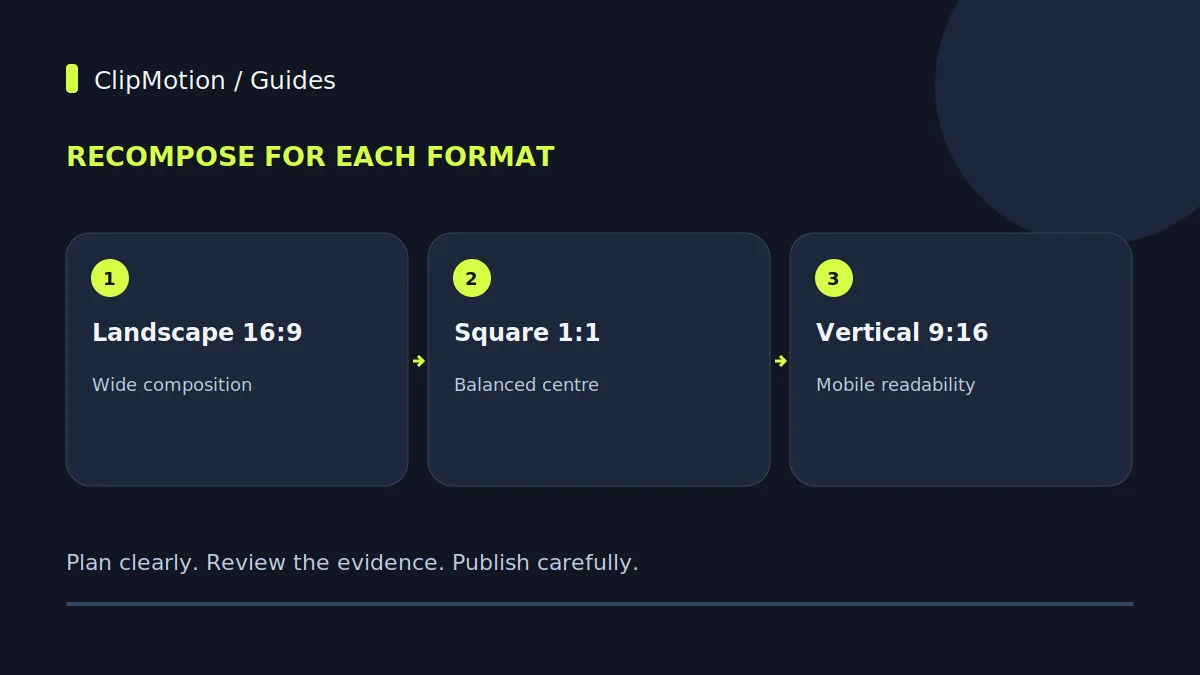
Adapting a product video campaign across multiple formats efficiently and effectively requires a strategic approach that prioritizes a master narrative while acknowledging the distinct compositional needs of each platform. Instead of merely cropping a single master video, the most impactful campaigns often involve designing core scenes with future adaptability in mind, then thoughtfully re-composing elements like product placement, text, and calls to action for specific aspect ratios and viewer contexts. This ensures visual integrity and message clarity, preventing "crop fails" and maximizing engagement, particularly when showcasing a unique item like a sculptural table lamp where intricate details and spatial presence are paramount.
Understanding the Core Challenge: Master Narrative vs. Separate Compositions
The fundamental challenge in multi-format video campaigns lies in balancing efficiency with impact. Many brands attempt to create a single "master" video and then simply crop it to fit various aspect ratios – a 16:9 landscape video for YouTube, then cropped to 9:16 for Instagram Stories, or 1:1 for a social feed. While this saves initial production time, it frequently leads to suboptimal results. Crucial product details can be cut out, text can become unreadable, or the overall composition can appear awkward and unbalanced.
For a sculptural table lamp, whose primary appeal is its unique form and aesthetic presence, a casual crop can be disastrous. Imagine a beautifully designed lamp where the intricate base is the main feature, but a vertical crop for an Instagram Story inadvertently slices off half the base, making it unrecognizable. The master narrative – highlighting the lamp's artistry and design – needs to be preserved, but the visual execution must be tailored.
Defining Campaign Objectives and Target Platforms
Before a single scene is planned or a line of copy written, clarify your campaign objectives and identify your target platforms. What do you want viewers to do after watching the video? Is it to drive website traffic, increase brand awareness, encourage direct purchases, or prompt product inquiries? Each objective might lend itself to different video lengths, calls to action, and platform choices.
For our hypothetical sculptural table lamp, let's assume the primary objective is to drive awareness and website visits among design enthusiasts, leading to sales.
- Awareness: Platforms like YouTube (long-form reviews/introductions), Instagram (stories, reels, feed posts), Pinterest (idea generation).
- Website Visits: Direct links on social posts, YouTube video descriptions, dedicated landing pages.
Consider the typical user behavior on each platform. YouTube viewers might engage with a 60-second narrative, while Instagram users often watch 15-second stories on mute. TikTok favors short, dynamic, sound-on content. Understanding these consumption patterns is crucial for tailoring your content effectively.
The Master Narrative: Crafting the Core Story (Pre-Production)
Every successful video campaign begins with a compelling story, irrespective of its final format. This master narrative is the backbone of your campaign. For our sculptural table lamp, the story might revolve around its unique design inspiration, the artistry involved in its creation, its ability to transform a space, or the tactile experience of its materials. This narrative should define the key visual points, emotional resonance, and calls to action.
Once the narrative is clear, outline the scenes required to tell this story. What are the key moments?
- Opening Hook: Intrigue (e.g., a close-up of an intriguing texture on the lamp's base).
- Product Reveal: Showcase the full lamp in its environment.
- Key Feature Highlights: Zoom in on unique design elements, materials, light quality.
- Lifestyle Integration: Show the lamp enhancing a stylish interior.
- Call to Action: Direct viewers where to learn more or purchase.
This scene-by-scene breakdown is where ClipMotion’s scene workflow becomes invaluable.
Strategic Spatial Balance: Framing for Future Crops
One of the most critical steps in multi-format video production is composing shots with an awareness of how they might be cropped or reframed later. This isn't about avoiding crops entirely, but about ensuring that when a crop happens, it doesn't diminish the subject or lose critical information. For a sculptural table lamp, this means thinking about negative space, headroom, and side room around the product.
When planning your scenes, especially within ClipMotion’s workflow, consider the primary subject (the lamp) and anticipate its position across different aspect ratios:
- Master 16:9 Composition: Ensure the lamp is centrally placed but has ample negative space on all sides. This "breathing room" is essential.
- Anticipating 9:16 Crop: Mentally, or even with overlay guides, envision where the top and bottom of a vertical crop would fall. Is the lamp still fully visible? Is the most important detail (e.g., the base, or the specific shape of the shade) preserved?
Avoid placing critical text, logos, or calls to action too close to the edges of your 16:9 frame, as these will almost certainly be lost in narrower crops.
Hypothetical Example 1: The Sculptural Table Lamp Master Video
Let's walk through the creation of a hypothetical master video (16:9 aspect ratio) for our sculptural table lamp using ClipMotion. Our goal is a 45-second video that introduces the lamp's aesthetic appeal and functionality.
Product: "LumenSculpt" Table Lamp – features a polished brass base sculpted into an organic, intertwining form, topped with a hand-blown smoky glass shade.
ClipMotion Scene Workflow Plan:
- Scene 1 (0-5s):
- Visual: Close-up, slow pan along the intricate curves of the polished brass base. Soft, warm lighting. (Product Reference: High-res image of brass base detail.)
- Message: "LumenSculpt: Art for Your Ambiance." (Remotion text)
- Scene 2 (5-15s):
- Visual: Full shot of LumenSculpt on a minimalist teak side table in a contemporary living room. Lamp is illuminated, casting a warm glow. Camera slowly pulls back to reveal more of the room. (Product Reference: Studio shot of full lamp, lifestyle image of room.)
- Message: "Illuminate Your Space with Unrivaled Design."
3.
ClipMotion's LTX 2.5 generates the visual scenes based on these references and scene plans.
Adapting for Horizontal Formats (16:9, 4:5)
While a 16:9 aspect ratio is often considered the "master," other horizontal formats like 4:5 (e.g., for Instagram feed posts) are increasingly common. Adapting from a 16:9 master to a 4:5 vertical-oriented rectangle requires careful consideration, as simple cropping can still lead to issues.
For our sculptural table lamp campaign, if the original 16:9 master video shows the lamp on a long console table with significant empty space on either side, a direct crop to 4:5 might eliminate important contextual elements or leave too much empty space above and below the lamp.
Specific Considerations for 4:5:
- Re-centering the Product: In a 4:5 frame, the focus shifts more vertically. If the lamp was slightly off-center in the 16:9, a 4:5 crop might require re-centering the lamp, or at least ensuring its most important features remain prominent.
- Managing Negative Space: While 16:9 thrives on horizontal negative space, 4:5 requires a balance of vertical negative space.
Adapting for Vertical Formats (9:16, 4:5)
Vertical formats, such as 9:16 for Instagram Stories, TikTok, and YouTube Shorts, or even 4:5 for feed posts, demand a complete rethink of composition. These formats are consumed primarily on mobile devices, often with sound off, requiring visuals to be instantly engaging and text to be concise and legible. Cropping a 16:9 master to 9:16 can lose important details when the original composition leaves too little room.
For our sculptural table lamp, where the design is paramount, a vertical format needs to emphasize the lamp's height, form, and texture in a way that’s immediately captivating.
Specific Considerations for 9:16:
- The "Safe Zone": Account for platform UI elements (profile picture, story controls, swipe-up indicators) that often overlay the top and bottom of the 9:16 frame. Check the current placement preview for each destination. Leave room around the lamp and essential text, then inspect the export under the platform interface; no single percentage defines every safe zone.
The "Crop Fail" Conundrum and How to Avoid It
A "crop fail" occurs when essential visual information is lost or the composition becomes awkward and unbalanced due to inappropriate cropping for a new aspect ratio. This is a common pitfall when adapting a single master video. For our sculptural table lamp, typical crop fails might include:
- Missing Features: The intricate brass base, a defining characteristic, is cut off by a vertical crop.
- Lost Context: A wide shot showing the lamp beautifully integrated into a room becomes a tight, uninspiring close-up that loses the lamp’s spatial impact.
- Obscured Text/Logo: Important branding or call-to-action text from Remotion is positioned too close to the edge of the master 16:9 frame and gets chopped off in a 9:16 story.
- Awkward Headroom/Footroom: The lamp is either crammed against the top/bottom of the frame or has excessive, distracting empty space.
How to Avoid Crop Fails:
1.
Text Hierarchy and Readability Across Formats
The text overlay (managed by Remotion in ClipMotion) is crucial for conveying key messages, branding, and calls to action. Its effectiveness depends heavily on its hierarchy, placement, and readability, which must be adapted for each video format.
General Principles:
- Conciseness: Shorter text is always better, especially on mobile and vertical formats. Prioritize the most impactful words.
- Contrast: Ensure the text has sufficient contrast against the background to be easily readable. White text on a light background, or dark text on a dark background, is a common readability mistake.
- Font Choice & Size: Use clean, legible fonts. Font size should be adjusted for each format; what's readable on a large 16:9 desktop screen will be too small on a 9:16 mobile story.
Adaptation by Format for the Sculptural Table Lamp:
- 16:9 (YouTube, Website): More space allows for slightly more descriptive text. You can use a primary headline and a secondary line.
Audio Considerations and Export Checks
Audio is often an overlooked element in video adaptation, yet it plays a crucial role in engagement, especially as platforms increasingly auto-play videos without sound.
Audio Strategy:
- Sound-On vs. Sound-Off: Assume videos on social feeds will be watched without sound initially. This reinforces the need for strong visuals and clear on-screen text (Remotion). For platforms where sound is expected (e.g., YouTube), ensure your audio is professional – clear voiceovers (if applicable), appropriate background music, and sound effects.
- Music Selection: Choose background music that complements the sculptural lamp's aesthetic – perhaps elegant, understated instrumental music for a sophisticated feel. Ensure it's royalty-free or licensed.
- Voiceover/Narration: For longer formats (16:9), a concise voiceover explaining the lamp's design philosophy or features can be highly effective. If using a voiceover, ensure it's professionally recorded and mixed.
Final Export Checks and Acceptance Criteria:
After creating and adapting all your video formats, rigorous final checks are essential before publishing.
1.
Only after all these criteria are met should you consider your video campaign ready for deployment.
Worked Hypothetical Example 2: Adapting the Sculptural Lamp for Instagram Story (9:16)
Let's adapt the "LumenSculpt" table lamp master video into a dynamic 9:16 Instagram Story, focusing on rapid engagement for a mobile audience. This will leverage existing visual assets from the ClipMotion master video but re-compose them with specific text overlays for the vertical format.
Original Master Video (16:9) Scenes (from Example 1):
- Scene 1: Close-up, slow pan along brass base.
- Scene 2: Full shot of LumenSculpt on table, camera pulls back.
- Scene 3: Montage of quick cuts: glass texture, different angles.
- Scene 4: Lamp turns on with hand interaction.
- Scene 5: Lamp in dark room, glowing. CTA.
Adaptation Strategy for 9:16 Instagram Story (15-20 seconds):
- Identify Suitable Visual Clips from LTX 2.5 Output:
- Scene 1 (Brass Base): The close-up slow pan on the brass base from the 16:9 master can be re-cropped to a tighter 9:16 vertical. This instantly showcases the unique sculptural element, which is perfect for a hook.
- Re-composing and Re-texting with Remotion:
- Visual 1 (0-3s): Re-cropped slow pan on brass base.
Final Checklist
This checklist summarizes the critical steps for adapting a product video campaign across multiple formats, ensuring consistency and quality.
- Define Core Objectives: Clearly state campaign goals and target platforms.
- Craft Master Narrative: Develop a compelling core story for your product (e.g., sculptural lamp) with scene planning (ClipMotion scene workflow).
- Plan for Spatial Balance: Compose initial visuals with adequate negative space to anticipate future crops across different aspect ratios.
- Generate Master Visuals: Use ClipMotion (LTX 2.5) to create high-quality visual scenes for your primary format (e.g., 16:9).
- Review Visual Fidelity: Manually check ClipMotion's generated clips for accuracy, clarity, and adherence to your vision. Visual fidelity is never guaranteed.
- Identify Adaptable Clips: From your approved project clips, select the best clips that can be re-composed for other formats.
- Re-Compose for Each Format:
- Manually crop and re-frame clips to fit specific aspect ratios (e.g., 4:5, 9:16). Focus on keeping the product (sculptural lamp) central and key features visible. If existing clips don't work, generate new visual scenes within ClipMotion tailored to the specific format and composition.
- Adapt Text Hierarchy & Placement:
- Use the template settings available to you, or an external editor, to adjust text length, font size, and contrast for each format's readability.
FAQ
Q1: Why can't I just crop my 16:9 master video for all other formats? A1: Simply cropping a 16:9 master often leads to "crop fails," where crucial product details are cut off, text becomes unreadable, or the composition appears awkward and unbalanced. For a product like a sculptural table lamp, whose appeal is its specific form and design, such crops can diminish its aesthetic impact.
Q2: How does ClipMotion help with adapting to different formats if it doesn't automatically convert them? A2: ClipMotion supports adaptation in key ways. Its scene workflow allows you to plan your shots, angles, and contexts before generating visuals, which helps you think about future crops. LTX 2.5 creates the core visual scenes based on your product references, giving you a library of high-quality clips. For adaptation, you select the most suitable clips and re-compose them in an external editor when the needed crop or framing control is unavailable in your selected template.
Q3: What's the most common mistake when adapting videos for vertical social media platforms? A3: The most common mistake is neglecting the "safe zone" on vertical platforms (like 9:16 Instagram Stories). Crucial text, product features, or calls to action are often placed too close to the edges of the frame, where platform user interface elements (like profile pictures, story controls, or swipe-up indicators) can obscure them.
Q4: When should I consider generating entirely new visual scenes in ClipMotion instead of just re-cropping existing ones? A4: You should consider generating new visual scenes in ClipMotion when a re-cropped version of an existing visual clip would result in a "crop fail" – meaning it would lose critical detail, appear unbalanced, or fail to convey the intended message effectively for the target format. For instance, if your 16:9 master features a wide shot of the sculptural lamp on a console table, cropping it to 9:16 might lose too much context.
Ready to bring your product stories to life across every platform? Start a project with ClipMotion today and craft visually compelling campaigns that captivate your audience.