How to Storyboard an AI Video Ad Before Writing Prompts
Write usable scene plans with a clear message, visual constraints and approval criteria.
By the ClipMotion team · · 2,399 words · 11 min read
A ClipMotion brand guide written with AI assistance. Worked examples are hypothetical and do not represent measured customer results.
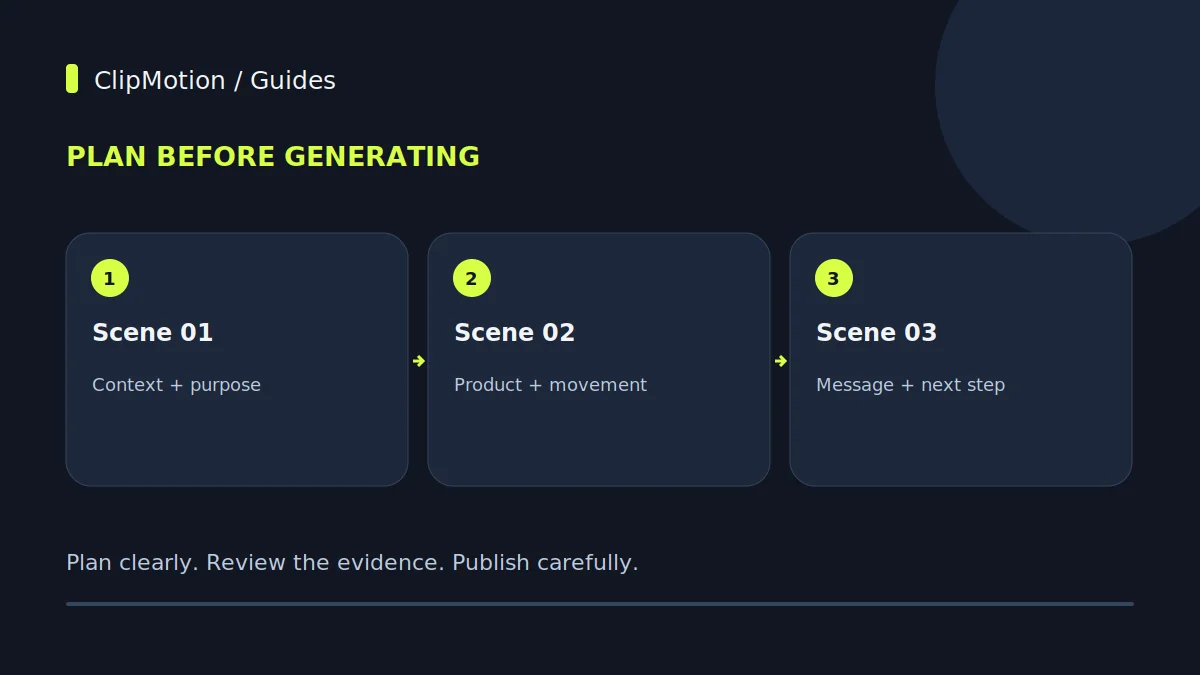
Storyboarding an AI video ad before ever crafting a prompt is a foundational step that transforms abstract marketing goals into a tangible, actionable plan. This preparatory phase ensures creative consistency, strategic alignment, and ultimately, a more effective use of AI video generation platforms like ClipMotion. By detailing each scene's purpose, subject, state, camera angle, lighting, and explicit visual references, alongside planning for overlays and transitions, marketers gain precise control over the narrative flow. This systematic approach minimizes revisions, clarifies expectations for AI tools, and prevents the common pitfall of relying on iterative prompting to discover a visual direction. A well-defined storyboard serves as the blueprint, guiding the AI to produce desired visuals rather than merely exploring possibilities.
The Strategic Imperative of Pre-Prompt Storyboarding
In the rapidly evolving landscape of AI-driven content creation, the temptation to jump straight to prompt writing is strong. However, for brand-focused video advertising, this can be a costly misstep. Pre-prompt storyboarding is not a mere suggestion; it's a strategic imperative. It establishes a clear vision, acting as a bridge between your marketing objectives and the visual language of your ad. Without this blueprint, each prompt becomes an isolated instruction, often leading to disconnected scenes, inconsistent visual styles, and a frustrating cycle of regeneration.
Consider the hypothetical modular desk organizer. Your objective isn't just to show the product, but to communicate its benefits: customizability, clutter reduction, and enhanced productivity. A storyboard allows you to dissect these benefits into distinct visual moments. For example, one scene might focus on the elegant assembly, another on its organized compartments, and a third on a tidy workspace it creates. This ensures that every visual clip generated later by ClipMotion, using its LTX 2.5 engine, serves a specific purpose within the overarching narrative.
Deconstructing the Scene Worksheet - Purpose and Subject
A fundamental tool in pre-prompt storyboarding is the scene worksheet, a structured framework that breaks down each moment of your video ad. The first two critical elements are "Purpose" and "Subject."
The "Purpose" defines the marketing objective of an individual scene. It clarifies why this particular visual moment exists within the larger narrative. For our hypothetical modular desk organizer, a scene's purpose might be to "introduce the product," "demonstrate modularity," "highlight material quality," "show problem (clutter)," or "illustrate solution (organization)." Each purpose should be singular and direct. This clarity helps in selecting the most impactful visuals and ensures that every second of the ad contributes to your overall marketing goal, rather than just showing a generic product shot. Without a defined purpose, scenes risk becoming visually appealing but ultimately ineffective.
The "Subject" specifies the primary focus of the camera within that scene. This isn't just the product itself, but what aspect of the product or its environment is central.
Defining State and Camera Perspective
Beyond what a scene aims to achieve and what it features, the "State" and "Camera" elements on your scene worksheet dictate how the subject appears and how it's viewed. These are crucial for establishing visual context and guiding the viewer's eye.
"State" refers to the condition, arrangement, or environment of the subject within the scene. It answers questions like: Is the modular desk organizer empty or filled? Is it on a minimalist desk or a busy professional's workstation? Is it pristine and new, or well-loved and in active use? For example, a state might be "modular organizer, fully assembled, empty, on a minimalist wooden desk," or "disassembled components, laid out for assembly," or "organizer filled with neatly arranged office supplies." Defining the state accurately ensures that the visual context supports the scene's purpose. If the purpose is to showcase ease of assembly, the state should clearly depict components or the process itself, not a finished product in full use.
The "Camera" element dictates the perspective and movement.
Illuminating with Light and Reference Imagery
The elements of "Light" and "Reference" on your scene worksheet are instrumental in shaping the aesthetic and ensuring visual accuracy in your AI-generated video. These details communicate the mood, style, and specific visual targets for each clip.
"Light" describes the illumination conditions of the scene. This goes beyond just "bright" or "dark." Consider the quality (soft, hard), direction (front, back, side), source (natural window light, studio spotlights, desk lamp), and mood (warm, cool, dramatic, airy). For our hypothetical modular desk organizer, you might specify "bright, soft, natural window light, early morning feel" to evoke a fresh, productive atmosphere. Alternatively, "focused, warm, overhead studio lighting" could highlight the premium materials. The chosen lighting can significantly alter how the product is perceived and the emotions it evokes. A poorly lit scene, even with a great subject, can undermine the entire message.
"Reference Imagery" is arguably one of the most powerful tools in AI video production, especially with platforms like ClipMotion, which allows users to supply product references.
Exclusions, Overlays, and Transitions - Shaping the Frame
The final set of elements for each scene worksheet — "Exclusions," "Overlays," and "Transitions" — refine the visual content, add critical branding, and ensure a smooth flow between scenes. These aspects move beyond just what's in the shot to what's not, what's added, and how the viewer moves from one visual idea to the next.
"Exclusions" specifies anything you do not want to appear in the scene. This is often overlooked but crucial for maintaining brand consistency and avoiding distractions. For the modular desk organizer, exclusions might include: "no visible brand logos other than our own," "no excessive clutter outside the organizer," "no blurred faces in background," or "avoid generic office plants." Being explicit about what to exclude helps the AI generator avoid common pitfalls or unwanted elements that could detract from your product's message or brand image. It’s a proactive step to prevent visual noise.
"Overlays" refer to any graphical elements superimposed onto the visual clip. This typically includes text, your brand logo, and calls to action (CTAs).
"Transitions" dictate how one scene connects to the next.
Storyboarding Narrative One: "Effortless Organization" (Hypothetical Example)
Let's apply our scene worksheet elements to a hypothetical advertising narrative for our modular desk organizer, focusing on the theme of "Effortless Organization." This narrative will highlight the product's design, ease of use, and the immediate benefit it brings.
Ad Title: Effortless Organization: Transform Your Workspace
- Scene 1
- Purpose: Introduce the product and establish a clean, aspirational workspace.
- Subject: The modular desk organizer, fully assembled, empty, on a pristine, minimalist wooden desk.
- State: Clean, sleek, brand-new, inviting. Desk accessories (minimalist lamp, small plant) are nearby but not in the organizer.
- Camera: Wide shot, eye-level, static, showcasing the product in context.
- Light: Bright, soft, natural window light from the left, casting subtle shadows. Modern, airy feel.
- Reference: Product lifestyle photo (angled top-down, showing full product); Pinterest mood board for minimalist workspace aesthetics.
- Exclusions: Any brand logos other than our own; excessive clutter.
- Overlay: "Transform Your Workspace" (Elegant, sans-serif font).
- Transition: Cut.
- Scene 2
- Purpose: Demonstrate the modularity and ease of customization.
- Subject: A close-up of a hand placing a divider component into one of the organizer's slots.
- State: The organizer is partially visible; focus on the precise, satisfying click or fit of the component.
- Camera: Extreme close-up, slightly overhead angle, slow zoom-in as the hand places the component.
- Light: Consistent with Scene 1, slightly more focused on the product.
- Reference: Detail shot of the modular component; video clip showing assembly of a similar product for hand movement.
- Exclusions: Face of the person; distracting background elements.
- Overlay: "Modular Design, Infinite Possibilities"
- Transition: Cut.
Storyboarding Narrative Two: "Productivity Unleashed" (Hypothetical Example)
Now, let's storyboard a second, distinct narrative for our modular desk organizer, this time focusing on a "problem-solution" angle and emphasizing "Productivity Unleashed." This approach will contrast a cluttered workspace with the organized efficiency the product provides.
Ad Title: Productivity Unleashed: Conquer Chaos with Our Modular Organizer
- Scene 1
- Purpose: Establish the problem: a messy, distracting workspace.
- Subject: A desk overflowing with papers, pens scattered, charging cables tangled, multiple devices. Focus on the disarray.
- State: Cluttered, disorganized, slightly chaotic. Books stacked haphazardly. Sense of frustration implied.
- Camera: Medium shot, slightly high angle, panning slowly across the messy desk to emphasize the extent of the chaos.
- Light: Overhead office fluorescent lighting, slightly stark, reflecting the mundane and stressful environment.
- Reference: Stock photos of extremely messy desks; "before" shots for organization products.
- Exclusions: Any recognizable personal items or brand logos that aren't ours.
- Overlay: "Tired of Desk Clutter?" (Bold, slightly urgent font).
- Transition: Cut.
- Scene 2
- Purpose: Introduce the solution: the modular desk organizer.
- Subject: A hand dramatically clearing a small space on the cluttered desk, then placing the empty modular desk organizer down.
- State: Organizer pristine and empty, standing out against the surrounding chaos.
Ensuring Continuity and Approvals
Once your individual scenes are detailed on a worksheet, the next critical phase is ensuring visual and narrative continuity across the entire storyboard and securing stakeholder approvals. This step prevents disjointed outputs and costly reworks.
Continuity refers to the smooth and logical flow from one scene to the next. Visually, this means maintaining a consistent lighting scheme, color palette, camera style, and product representation unless a deliberate shift is intended for narrative effect (e.g., contrasting "before" and "after" scenes). For our modular desk organizer, if Scene 1 features it in a bright, modern office, subsequent scenes should generally maintain that aesthetic unless the story specifically calls for a change (e.g., showing it in a home office setting in a different ad). Inconsistency can break the viewer's immersion and dilute your brand message. Review each scene transition, ensuring that the shift feels natural and serves the overall story. A helpful tip is to physically lay out your scene worksheets in order, allowing you to visually assess the sequence.
Equally important is the "Approvals Matrix." Before proceeding to prompt writing and AI generation, the storyboard must be reviewed and signed off by all relevant stakeholders (e.g., marketing manager, product manager, creative director).
Common Mistakes and How to Fix Them
Even with a structured approach, certain pitfalls can arise during storyboarding for AI video ads. Recognizing these common mistakes and knowing how to rectify them can save significant time and resources.
1. Mistake: Vague Scene Descriptions.
- Example: "Subject: Desk organizer. State: Organized. Camera: Normal." This provides minimal guidance.
- Fix: Be hyper-specific. For our modular desk organizer: "Subject: Close-up of the organizer's bamboo tray with a fountain pen and a small succulent. State: Pristine, naturally lit, in use on a white desktop. Camera: Medium shot, slightly high-angle, static." Detail is your ally in guiding AI.
- Why it matters: AI, like ClipMotion, operates on explicit instructions. Ambiguity leads to unpredictable and often unusable outputs, requiring multiple regeneration attempts.
2. Mistake: Over-reliance on AI "Fixes."
- Example: Creating a minimalist storyboard with the expectation that the AI will "figure out" the creative details or correct visual inconsistencies.
- Fix: Understand that a revised prompt does not guarantee a corrected result.
By proactively addressing these common mistakes during the storyboarding phase, you dramatically increase the likelihood of generating high-quality, on-brand video ads with AI tools like ClipMotion.
Acceptance Criteria, Final Checklist, and FAQ
Before moving from the storyboard to prompt writing within ClipMotion, it's essential to have clear acceptance criteria and a final checklist to ensure readiness. This guarantees that all pre-production work is complete and aligned.
Acceptance Criteria for a Ready Storyboard
A storyboard is considered ready for AI generation when:
- Clear Narrative: The overarching story or message of the ad is evident and compelling.
- Scene Purpose: Each scene has a singular, clearly defined marketing purpose.
- Visual Specificity: All fields (Subject, State, Camera, Light, Exclusions) for every scene are filled with precise, unambiguous descriptions.
- Reference Imagery: Appropriate, high-quality reference images are identified and available for each scene, especially for product representation.
- Overlay Planning: All text overlays, brand logos, and CTAs are specified for each relevant scene. 6.
Final Storyboard Checklist
- Is the ad's main objective explicitly stated?
- Does each scene have a clear, distinct purpose?
- Is the product (modular desk organizer) consistently represented?
- Are all visual elements (Subject, State, Camera, Light) clearly described for every scene?
- Are specific visual references included or linked for each scene?
- Are any "Exclusions" noted to prevent unwanted elements?
- Is all overlay text, logo placement, and CTA specified?
- Are transitions between scenes clearly defined?
- Has the entire storyboard been reviewed for visual and narrative continuity?
- Is the storyboard signed off by all relevant stakeholders?
- Are you prepared to review the visual fidelity of AI-generated clips, understanding it's not guaranteed?
- Are any authentic photos or screen recordings integrated or noted for manual inclusion later?
Frequently Asked Questions
Q1: Why go through such a detailed storyboarding process when AI can generate so quickly? A: While AI tools like ClipMotion's LTX 2.5 can generate visuals rapidly, they rely on the quality and specificity of your instructions. A detailed storyboard acts as a precise blueprint, translating your creative vision into clear directives. This upfront planning drastically reduces the need for iterative prompting, prevents disjointed visuals, ensures brand consistency, and ultimately saves significant time and resources by minimizing re-generations and post-production corrections.
Q2: What if my product isn't physical, like a software or service? How do I storyboard that? A: For non-physical products, the principles remain the same, but the "Subject" and "State" will adapt.
Q3: How much detail is too much detail in a storyboard for AI generation? A: The right amount of detail provides clarity without becoming a prompt itself. Focus on communicating the intent and desired outcome for each visual aspect, rather than dictating the exact prompt wording. For instance, "Camera: Close-up, overhead, static, focused on the organizer's texture" is perfect. "Prompt: Generate a static, high-angle close-up of a desk organizer showing bamboo texture" is moving into prompt territory.
Q4: Can I skip storyboarding for very short or simple video ads? A: While tempting, skipping storyboarding, even for seemingly simple ads, is not recommended. The risk of misinterpreting the brand's vision or creating visually inconsistent clips increases significantly. A "simple" ad still needs a purpose, a subject, and a desired aesthetic. Storyboarding ensures that even a 15-second ad is impactful and aligned.
This detailed pre-production work is invaluable. It transforms the often-abstract process of AI video generation into a streamlined, predictable, and creatively controlled endeavor.
--- Ready to bring your well-planned storyboards to life? Start your first AI video ad project with ClipMotion today and experience the power of precise visual generation.