Image-to-Video Prompts for Product Ads: Direct One Scene at a Time
Write focused image-to-video prompts with controlled motion, realistic composition and clear exclusions.
By the ClipMotion team · · 2,399 words · 11 min read
A ClipMotion brand guide written with AI assistance. Worked examples are hypothetical and do not represent measured customer results.
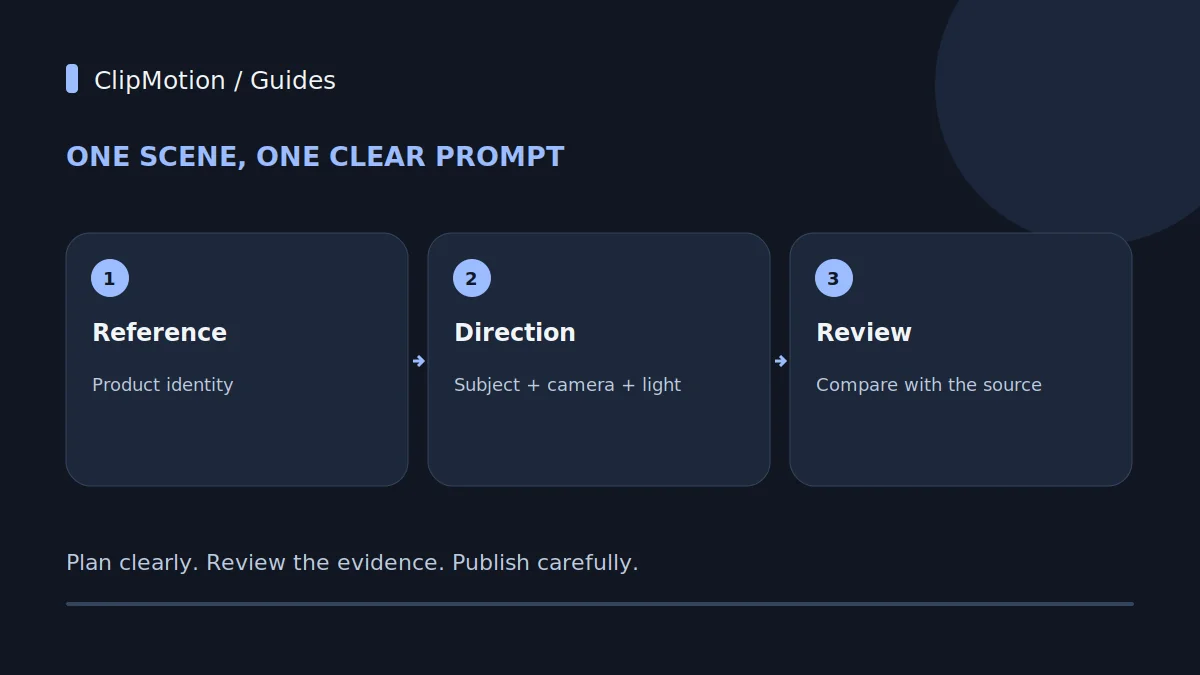
Creating compelling product advertisements with AI video generation hinges on precise, scene-by-scene direction. The most effective approach involves isolating each desired motion or visual change into a singular, clear prompt, carefully distinguishing between the movement of the product itself and the movement of the camera observing it. By defining explicit initial and final states, leveraging high-quality reference images, and avoiding overloaded instructions, brands can guide the AI to produce predictable and high-fidelity visual clips suitable for their marketing campaigns, ensuring each moment contributes effectively to the overall narrative.
The Art of Singular Motion in AI Video Prompts
The transition from still images to dynamic video for product advertising is a powerful leap, but its success in AI-driven platforms like ClipMotion relies on a nuanced understanding of prompt engineering. Unlike traditional video production where a director might guide a crew through complex shot compositions, AI interprets text instructions quite literally and often struggles with ambiguity or excessive complexity within a single command. The core principle for generating effective image-to-video scenes is to direct one distinct action or visual change at a time. This methodical approach ensures clarity for the AI, minimizing misinterpretations and leading to more precise, usable video clips. Each prompt should be a miniature storyboard instruction, focusing on what needs to happen within that specific short sequence, whether it’s a subtle product rotation, a camera dolly move, or an object interaction. This granular control allows for the meticulous crafting of an advertisement that flows logically and showcases the product optimally.
By breaking down your desired video into individual, manageable scenes, you gain greater control over the final output.
Understanding the AI's Perspective: Subject vs. Camera
A fundamental concept in guiding AI for video generation is the clear distinction between the subject's movement and the camera's movement. AI models interpret these two types of motion differently, and conflating them in a single prompt almost guarantees an unpredictable or jumbled result. The "subject" is your product—in our running example, the matte black wireless speaker—and any action it performs, such as rotating, sliding, or being picked up. The "camera" refers to the virtual viewpoint from which the scene is observed, and its actions include panning, tilting, zooming, or orbiting.
When you write a prompt, you must explicitly state which entity is performing which action. For instance, if you want to showcase all sides of the matte black wireless speaker, you have two primary options, each requiring a distinct prompt. Option one: "A matte black wireless speaker slowly rotates 360 degrees on a static pedestal. Camera remains stationary and frontal." Here, the speaker is the active mover.
The Pivotal Role of the Reference Image
The reference image you provide is arguably the most critical element in shaping the visual outcome of your AI-generated product ad. It serves as the primary visual blueprint for the AI, informing everything from the product's exact appearance, color, texture, and proportions to the overall lighting and aesthetic tone of the scene. When using platforms like ClipMotion, supplying a high-quality product reference is not just recommended; it's foundational.
A well-chosen reference image for our hypothetical matte black wireless speaker would be a professional, well-lit photograph showing the speaker clearly and in good detail, ideally against a neutral background. This allows the AI to accurately render the product in the generated video. If the reference image is blurry, poorly lit, or shows the product from an awkward angle, the AI will struggle to reproduce it faithfully. The resulting video clip might feature a speaker that deviates in color, has distorted proportions, or lacks the intended sleekness.
Defining Initial and Final States for Scene Transitions
For each individual video clip generated, clearly defining the initial and final states helps the AI understand the trajectory and scope of the motion, contributing significantly to visual predictability and smoother transitions between scenes. An "initial state" describes how the scene begins—where the product is, its orientation, and the camera's starting position. The "final state" dictates how the scene concludes, detailing the product's end position, orientation, or the camera's ultimate framing.
Consider our matte black wireless speaker. If a scene needs to show it sliding into the frame, an effective prompt might articulate: "A matte black wireless speaker enters the frame from the left, smoothly sliding to a central position on a brushed metallic surface. Camera is static and focused on the center." Here, the initial state implies the speaker is off-screen left, and the final state is the speaker centered. While the AI inferentially handles the in-between motion, explicitly outlining the start and end points provides critical guardrails.
The Power of Singular Motion: One Action Per Prompt
One of the most common pitfalls in AI video prompting is attempting to cram multiple, distinct actions into a single instruction. This "overloaded prompt" approach almost invariably leads to confusion for the AI, resulting in either a jumbled, unnatural sequence of movements, or the AI prioritizing one action while completely ignoring others. The principle of "singular motion" dictates that each prompt should describe only one primary action or visual change.
For example, instead of prompting: "A matte black wireless speaker rotates 360 degrees, then a hand picks it up, and the camera zooms out to show it on a desk," which contains three distinct actions (rotation, pickup, zoom out), you should break this down into at least three separate prompts, each generating its own short video clip.
- Prompt 1 (Rotation): "A matte black wireless speaker slowly rotates 360 degrees on a polished white surface. Camera is static and centered."
2.
This modular approach ensures that each action is executed clearly and precisely.
Crafting Effective Prompts: Deconstructing the Elements
An effective prompt for AI video generation is a concise yet descriptive instruction that leaves little room for misinterpretation. It typically comprises several key elements, each contributing to the clarity and specificity of the desired visual outcome. Understanding these components helps in structuring prompts that consistently yield better results.
First, clearly identify the subject: "A matte black wireless speaker." Be specific about its appearance if not fully covered by the reference image (e.g., "sleek, minimalist design").
Second, define the action: What is the subject doing, or what is happening to it? "slowly rotates 360 degrees," or "is picked up by a hand." This is where the singular motion principle is paramount.
Third, describe the environment or setting: Where is this action taking place? "on a polished white surface," "against a minimalist backdrop," "in a modern living room." This sets the scene and influences lighting and background elements.
Fourth, specify the camera movement or perspective: How is this action being viewed?
Hypothetical Example 1: Showcasing the Speaker's Design
Let's apply these principles to showcase the design of our hypothetical matte black wireless speaker.
Prompt 1 (Initial Attempt): "A matte black wireless speaker slowly rotating 360 degrees on a polished white surface. Studio lighting. Camera orbits speaker."
Diagnosis 1: This prompt attempts to combine two distinct motions: the speaker rotating and the camera orbiting. While it might seem logical to achieve a full view, AI often struggles with simultaneous, independent movements of both subject and camera. This could lead to a chaotic or jerky motion, or one motion might dominate or cancel out the other, resulting in an unclear visual. The AI might interpret "camera orbits speaker" as a desire for the camera to follow the speaker's rotation, creating a static relative view, or it might create two conflicting rotations.
Prompt 1 Revision A (Focus on Subject Motion): "A matte black wireless speaker slowly rotates 360 degrees on a polished white surface. Studio lighting.
Diagnosis 1 Revision A: This is a much clearer instruction.
Hypothetical Example 2: Highlighting a Feature
Now, let's consider a scenario where we want to highlight a specific feature of the matte black wireless speaker, such as an LED indicator.
Prompt 2 (Initial Attempt): "Matte black wireless speaker with a glowing LED indicator. Camera zooms in, then the speaker moves into a hand."
Diagnosis 2: This prompt is overloaded with three distinct actions and a vague temporal connector ("then"). First, it describes a static state (glowing LED). Second, it requests a camera action (zoom in). Third, it introduces a subject interaction (speaker moves into a hand). The AI will likely struggle to sequence these actions correctly or execute them smoothly within a single clip. The "then" is too ambiguous for precise AI interpretation, potentially leading to a jarring transition or incomplete actions.
Prompt 2 Revision A (Scene 1: Feature Focus): "Close-up on the matte black wireless speaker's LED indicator, which gently pulses blue.
Diagnosis 2 Revision A: This revised prompt isolates the first part of the original intent: highlighting the LED and then revealing the speaker.
Common Prompting Mistakes and How to Fix Them
Even with a clear understanding of the principles, certain common mistakes can derail your AI video generation efforts. Recognizing these pitfalls is the first step toward crafting more effective prompts.
1. Overloading Prompts: As discussed, trying to combine too many actions (e.g., "speaker rotates, then zooms, then a hand picks it up") is a primary culprit.
- Fix: Break down complex sequences into individual, single-action prompts. Each prompt should describe one distinct motion or visual change.
2. Vague Descriptive Terms: Using subjective or non-visual adjectives like "cool," "nice," "awesome," or "good" provides no actionable information for the AI.
- Fix: Replace vague terms with concrete visual descriptors. Instead of "cool lighting," use "soft studio lighting," "dramatic low-key lighting," or "bright natural daylight." Describe textures, colors, and specific visual styles.
3. Confusing Subject and Camera Movements: Describing both product movement and camera movement in a way that implies they happen simultaneously or without clear distinction.
- Fix: Explicitly state who is moving.
Acceptance Criteria for AI-Generated Video Clips
Once your prompts are submitted and visual clips are generated by LTX 2.5, a critical review process is essential to ensure they meet your brand's standards and advertising goals. Not every generated clip will be perfect on the first try, and visual fidelity is never guaranteed, necessitating careful inspection.
1. Visual Fidelity: Does the product in the video (our matte black wireless speaker) accurately resemble the provided reference image? Check for correct color, texture, proportions, and any specific details. Are there unexpected distortions or artifacts? 2. Motion Accuracy: Does the motion strictly adhere to the prompt's intent? If you asked for a slow rotation, is it smooth and even, or is it jerky or too fast? If a hand interaction was prompted, does it look natural and intentional? 3. Scene Integrity: Is the background consistent and appropriate? Are there any unexpected elements, flickering, or visual glitches that detract from the product? **4.
The Iterative Process: Review, Revise, and Refine
Generating effective AI video clips is rarely a one-shot process; it's an iterative cycle of prompting, generating, reviewing, and refining. Treat each generated clip as a draft that provides valuable feedback on your prompt's effectiveness.
After LTX 2.5 creates a visual clip, your immediate next step is to critically review it against the acceptance criteria. If the output isn't quite right, analyze why. Was the prompt too vague? Did it contain conflicting instructions? Was the desired motion not executed smoothly? This diagnosis informs your next revision. Don't be afraid to tweak wording, simplify instructions, or split a scene further if the AI struggles with complexity. A revised prompt does not guarantee a corrected result; it simply offers a new set of instructions for the AI to interpret, so checking the final output remains essential.
It's also important to remember that the visual context can be dynamic.
Final Checklist for Effective Image-to-Video Prompts
- One Action Per Prompt: Each prompt describes a singular motion or visual change.
- Clear Subject/Camera Distinction: Explicitly state what the product does and what the camera does.
- High-Quality Reference Image: Provide a clear, well-lit product image for visual fidelity.
- Define Initial & Final States: Outline the beginning and end of the motion for clarity.
- Descriptive Language: Use specific, visual terms instead of vague adjectives.
- Environment & Lighting: Always include details about the setting and illumination.
- Review Each Clip: Critically assess generated videos for accuracy and quality.
- Iterate & Refine: Be prepared to revise prompts and regenerate clips.
- Check Consistency: Ensure clips align with overall project aesthetics and product reference.
- Verify for Overlays: Confirm visual clips are suitable for text, logo, and CTA placement.
Frequently Asked Questions (FAQ)
Q1: How detailed should my environment descriptions be? A1: Environment descriptions should be specific enough to convey the desired mood and context without being overly verbose. For instance, "on a minimalist concrete table in a modern studio" is effective. Avoid listing every single item in a room unless it directly interacts with the product or is crucial to the scene's message. The goal is to provide enough visual cues for the AI to generate a cohesive background that complements your product without clutter.
Q2: Can I request specific camera angles like "low angle" or "dutch tilt"? A2: Yes, specifying camera angles can significantly impact the visual storytelling of your ad. Terms like "low angle," "high angle," "overhead shot," "extreme close-up," "medium shot," or "dutch tilt" (for a tilted horizon) are generally well-understood by AI models. Integrate these clearly into your prompt alongside other camera instructions, such as "low angle shot, camera slowly tracks the speaker as it slides."
Q3: What if the AI generates something completely unexpected? A3: If the AI produces an unexpected or irrelevant output, first review your prompt for any ambiguity, contradictions, or terms that might have multiple interpretations. Sometimes, removing complex phrasing or simplifying the scene can help. Ensure your reference image is clear. If an issue persists, try breaking the scene down into even smaller, simpler steps or rephrasing the core action with different descriptive words. It's part of the iterative process to find what resonates best with the AI.
Q4: When should I consider using multiple reference images for one product? A4: Generally, using one consistent, high-quality reference image for a single product across all scenes is best for maintaining visual continuity. However, you might consider multiple references if your product has distinct modes or attachments that drastically alter its appearance (e.g., a speaker with an interchangeable grille), or if you need to specifically showcase a different side or detail that isn't clearly visible in a single main image.
Start your project with ClipMotion today and transform your product imagery into dynamic, engaging video ads.