How to Check Product Consistency in AI-Generated Video
Review shape, details, color and movement before publishing a generated ecommerce video.
By the ClipMotion team · · 2,401 words · 11 min read
A ClipMotion brand guide written with AI assistance. Worked examples are hypothetical and do not represent measured customer results.
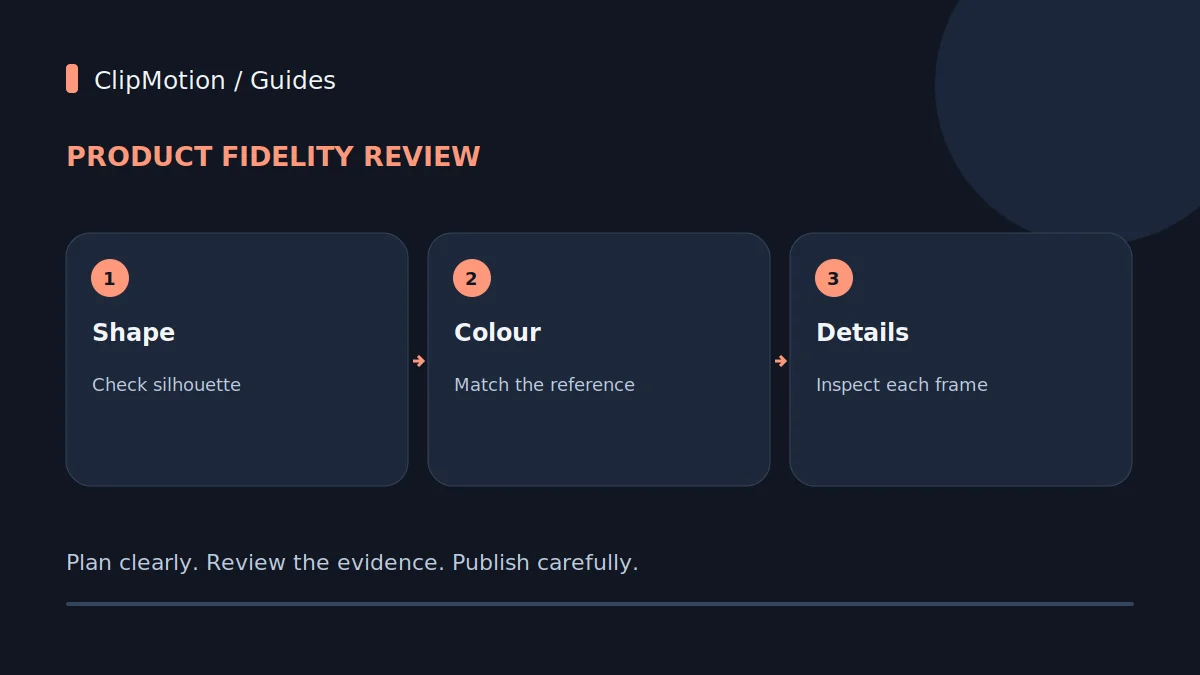
Ensuring product consistency in AI-generated video, particularly for platforms like ClipMotion, requires a methodical review process focused on visual attributes such as silhouette, texture, color, and specific features like handles or bases. Since AI visual fidelity is never guaranteed, brands must scrutinize each generated clip against their original product references, like a ribbed ceramic vase, to detect subtle drift, distortions, or omissions. This guide outlines how to systematically check for these inconsistencies, offering practical steps to identify issues, understand their causes, and determine whether a clip meets the required visual standard or necessitates regeneration, always remembering that for critical details, authentic footage often remains the most reliable evidence.
The Challenge of AI-Generated Visual Fidelity in Brand Content
Creating engaging video content for brands is increasingly streamlined by AI platforms, allowing for rapid generation of visual clips that might otherwise take extensive time and resources. ClipMotion, for instance, empowers users to create sophisticated scenes by choosing a template, supplying product references, and defining their exact message. This process, which involves LTX 2.5 generating visual scenes and Remotion adding precise text, logos, and calls to action, significantly accelerates production. However, a fundamental principle of AI-generated visuals is that fidelity is never guaranteed. This means that while the technology is powerful, the final visual representation of your product, such as a distinct ribbed ceramic vase, demands rigorous human oversight to ensure it aligns perfectly with your brand’s visual standards.
The inherent variability of AI models means that even with excellent source material and carefully crafted prompts, slight deviations can occur from clip to clip, or even within a single sequence.
Establishing Your Reference: The Ribbed Ceramic Vase Baseline
The foundation of any successful consistency check lies in establishing an undeniable, high-fidelity reference. Before generating a single visual clip with ClipMotion, you must provide the system with the clearest possible understanding of your product. This typically involves supplying comprehensive product references through direct image uploads or product link analysis. While ClipMotion supports both, be aware that some online stores might block direct import, necessitating manual image uploads. For our hypothetical ribbed ceramic vase, this means compiling a suite of images that capture every angle and detail.
Defining Key Characteristics of the Ribbed Ceramic Vase
To create an effective reference, consider these essential attributes:
- Silhouette: Its overall shape—is it tall and slender, or short and stout? Does it have a flared rim or a narrow neck?
High-resolution, well-lit photographs from multiple angles (front, back, sides, top, bottom, and close-ups of details like ribs and handles) are paramount.
Silhouette and Form: The Backbone of Recognition
The silhouette and overall form are the most fundamental aspects of product recognition. Consumers identify products instantly by their shape. For our ribbed ceramic vase, this means its distinctive curvature, the narrowness of its neck, the width of its body, and the shape and placement of its handles. Any significant deviation in these core elements can instantly make the AI-generated vase look like a different product entirely.
Common AI Mistakes and Their Impact
AI models can sometimes struggle with maintaining precise proportions and consistent shapes, especially when generating a product from various angles or under different lighting conditions.
- Distorted Shape: The vase might appear wider, thinner, taller, or shorter than the reference.
Hypothetical Example 1 (Initial Review): Vase Silhouette Appears Melted
Upon reviewing an initial ClipMotion generated clip, we observe that our hypothetical ribbed ceramic vase, intended to have a firm, classic amphora silhouette, appears to be slightly "melted" or softened around the edges.
Addressing these issues often involves iterative refinement within ClipMotion: 1.
Texture and Materiality: Beyond the Outline
While silhouette defines the overall shape, texture and materiality provide the crucial visual cues about what a product is made of and how it feels. For our ribbed ceramic vase, the "ribbed" aspect is not just a pattern but an integral part of its tactile and visual identity. The ceramic material itself, with its specific finish, contributes significantly to its perceived quality and aesthetic. AI must render these details accurately to maintain product consistency.
How AI Can Miss Textural Details
AI models sometimes struggle to faithfully replicate nuanced textures and material properties, especially when lighting and angles change.
- Lost Ribs: The most common mistake for our ribbed ceramic vase would be the ribs appearing too subtle, flattened, or even entirely absent in parts of the clip.
Reviewing a ClipMotion output, we notice that while the general shape of our ribbed ceramic vase is acceptable, the defining ribs are problematic.
Correcting textural inconsistencies requires careful prompt engineering and reference examination: 1.
Color Accuracy and Lighting Interaction
Color is a primary brand identifier and a powerful emotional cue. Maintaining exact color consistency for your ribbed ceramic vase across all generated visual clips is paramount. AI models, while adept at generating vibrant imagery, can sometimes introduce subtle or even dramatic shifts in hue, saturation, and brightness, especially when generating different scenes or transitions.
The Nuance of Color Consistency
When reviewing color for our ocean blue ribbed ceramic vase, consider:
- True Hue: Does the blue consistently match the reference? Is it drifting towards green, purple, or grey?
- Saturation: Is the color too vibrant (over-saturated) or too dull (desaturated) compared to the original?
- Brightness/Luminance: Is the vase consistently lit, or does its color appear darker or lighter than expected?
AI's Tendency to Drift
- Scene-Specific Shifts: The lighting and environmental elements of a generated scene can influence the perceived color of the vase.
1.
- Minor Variations: If the color deviation is barely perceptible and attributable to realistic lighting conditions (e.g., subtle shadows darkening a specific area), it might be acceptable.
- Significant Deviation: Any noticeable shift in hue, drastic change in saturation, or inconsistent brightness that makes the "ocean blue" vase look like a different color entirely should lead to rejection and regeneration.
- Brand Guidelines: Your brand's specific color guidelines should be the ultimate arbiter.
Handling Handles, Bases, and Unique Features
Beyond the general silhouette, many products have specific, intricate features that define them. For our ribbed ceramic vase, these are its two distinct loop handles and its flat, stable base. These elements, often small or geometrically complex, present particular challenges for AI consistency. Their accurate representation is critical for maintaining product authenticity.
Why Specific Features Are Challenging for AI
- Complexity of Form: Features like handles involve complex curves and attachment points that can be difficult for AI to render consistently from different perspectives.
- Disproportionate Scaling: The AI might accurately render the main body of the vase but misinterpret the scale of the handles, making them too large, too small, or too thin.
- Attachment Anomalies: How handles connect to the main body is crucial.
When reviewing ClipMotion outputs for our ribbed ceramic vase, pay close attention to:
- Handle Presence and Number: Are both loop handles always present?
- Critical Feature Integrity: Features like handles and the base are often critical for a product’s identity and functionality.
Reflections, Refractions, and Environmental Interaction
For products with glossy surfaces, like our semi-gloss ribbed ceramic vase, how it interacts with its environment through reflections is vital. Realistic reflections add depth, realism, and context, communicating the material's properties. AI often struggles with physically accurate reflections and refractions, leading to inconsistent or implausible visual outputs. This includes the phenomenon of "drift," where product appearance subtly changes over a clip.
The Complexity of Reflections
Reflections are not merely static images; they are dynamic representations of the surrounding environment, changing with camera movement, object rotation, and scene lighting.
- Surface Type Mismatch: Our semi-gloss ceramic vase should exhibit soft, somewhat diffused reflections, not sharp, mirror-like ones.
Understanding "Drift"
Drift refers to a gradual, often subtle, change in the product's appearance over the duration of a single generated clip. This is particularly noticeable in reflections, but can also affect color, texture, and even silhouette.
1.
- Prompt Refinement: Be explicit about the surface properties: "smooth semi-gloss ceramic, offering soft, diffused reflections." You might even specify the desired reflection behavior if a simple background is used, e.g., "subtle reflections of the studio lighting."
- Simplify Scene: Complex lighting and environments increase the challenge for AI to render accurate reflections.
Occlusions and Crop: The Frame's Edge
The way your product is framed and whether it's partially obscured plays a significant role in how it's perceived. For an AI-generated video featuring our ribbed ceramic vase, managing occlusions (objects blocking part of the vase) and ensuring appropriate cropping are crucial for visual consistency and effective communication. ClipMotion's scene workflow allows for planning scenes, but the final visual outcome still requires meticulous review.
Intentional vs. Unintentional Occlusions
- Intentional Occlusion: This is when another object in the scene is meant to partially block the ribbed ceramic vase, such as a flower arrangement within it, or a decorative item placed in front. The review here is to ensure the occlusion looks natural, respects depth, and doesn't create visual artifacts or distortions where the objects meet.
- Awkward Cropping: The AI might crop the ribbed ceramic vase at an unnatural point, cutting off its base, the top of its neck, or one of its handles.
1.
- Prompt Refinement: Clearly describe the desired framing in your ClipMotion prompt, e.g., "a full shot of the ocean blue ribbed ceramic vase, centrally framed," or "the vase with a small book partially obscuring its base, maintaining focus on the handles."
- Adjust Scene Workflow: Utilize ClipMotion's scene workflow planning to specify camera angles and prop placements more precisely.
Step-by-Step Decision Making: Approve or Reject
The ultimate goal of this detailed review is to make a clear decision: does the AI-generated visual clip meet your brand's standards for product consistency, or does it need to be refined and regenerated? This decision-making process for your ribbed ceramic vase clips, powered by ClipMotion, should be systematic and objective. Remember, visual fidelity is never guaranteed, so your critical eye is the final quality gate.
A Structured Approach to Reviewing
- Initial Scan (First Pass): Play the entire clip at normal speed. Does anything immediately jump out as wrong or distracting? This captures major silhouette, color, or missing feature issues.
- Detailed Scrutiny (Second Pass): Play the clip in slow motion or frame-by-frame. Focus on each consistency pillar discussed:
- Silhouette: Is the shape of the ribbed ceramic vase consistent throughout?
- Texture: Are the ribs uniform and present?
Hypothetical Scenario: A clip generated for our ribbed ceramic vase shows it rotating slowly on a pedestal.
Final Consistency Review Checklist
This checklist provides a concise summary of the critical elements to review for product consistency in your ClipMotion generated video clips, particularly for our ribbed ceramic vase. Use this as a final pass before approving any visual content.
- Silhouette & Form:
- Is the overall shape of the ribbed ceramic vase consistent with references?
- Are proportions accurate (height, width, neck, body)?
- Are curves smooth and natural, without distortion or melting effects?
- Texture & Materiality:
- Are the 12 distinct, vertical ribs consistently present and evenly spaced?
- Does the depth and form of the ribs remain uniform across clips and angles?
- Is the semi-gloss ceramic finish accurately represented, not too matte or too shiny?
- Does light interact with the ribs realistically?
- Color Accuracy:
- Is the "ocean blue" hue consistent throughout the clip and across multiple clips?
- Is saturation and brightness maintained without significant drift or shifts?
- Does the color remain true under different lighting conditions in the scene?
- Specific Features (Handles & Base):
- Are both elegant loop handles consistently present, correctly shaped, and proportionate?
- Are handle attachment points smooth and realistic?
- Is the flat base consistently rendered as stable and correctly shaped?
- Reflections & Environmental Interaction:
- Are reflections on the semi-gloss surface plausible and consistent with the environment?
- Is there any noticeable "drift" in product appearance (color, texture, reflections) over time within a single clip?
- Occlusions & Crop:
- Is the ribbed ceramic vase cropped appropriately, without cutting off essential features?
- If partially obscured, are intentional occlusions realistic and unintentional ones absent?
- Is the framing consistent and purposeful across different clips?
- Overall Cohesion:
- Does the generated visual clip align with the overall brand aesthetic and message?
- Does the ribbed ceramic vase look like your product, not a generic stand-in?
- For any changed reference or visual context, have all prior clips featuring the product been re-evaluated for continued validity?
Frequently Asked Questions
Q1: Why does my product look different in different clips even with the same references?
A1: AI models, such as LTX 2.5 used by ClipMotion, inherently have a degree of variability. Each time a visual clip is generated, even with identical references and prompts, the AI may interpret subtle nuances differently. Factors like slightly varying scene compositions, lighting models, or camera angles generated for different templates can introduce variations in silhouette, color, texture, and how light interacts with the product.
Q2: Can I fix a minor consistency issue without regenerating the whole clip in ClipMotion?
A2: ClipMotion's primary output is the visual clip. While Remotion allows you to edit overlay copy (text, logos, CTA) in the final composition without regenerating a still-valid visual clip, minor visual inconsistencies within the generated visual content itself typically require regeneration. If the issue is very slight (e.g., a barely perceptible color shift or a single flickering pixel), you might consider using external video editing software for post-production adjustments like color correction or subtle masking.
Q3: What if ClipMotion consistently struggles to accurately represent my complex product?
A3: If, after multiple attempts with highly detailed references and precise prompts, ClipMotion's LTX 2.5 engine still struggles to faithfully render your complex product, such as a ribbed ceramic vase with intricate details, consider adjusting your strategy. First, simplify the scene and camera angles in your ClipMotion workflow to reduce complexity for the AI. Second, break down the product's features in your prompt, emphasizing each challenging aspect individually.
Q4: How important are my reference images for achieving consistency?
A4: Your reference images are foundational for product consistency in ClipMotion. They serve as the primary source of truth for the AI's understanding of your product, such as the exact form, texture, and color of your ribbed ceramic vase. High-quality, multi-angle, well-lit reference images (including close-ups of specific features like ribs and handles) dramatically improve the AI's ability to generate accurate visual clips. Poor or insufficient references lead to ambiguity, increasing the likelihood of inconsistencies and requiring more iterations.
Ready to bring your products to life with compelling AI-generated video? Start a project with ClipMotion today and apply these consistency checks to ensure your brand's visual integrity shines through every frame.