AI Video Production Costs: Plan Revisions, Credits and Approval Work
Understand which decisions trigger new generation and how to plan a disciplined video production process.
By the ClipMotion team · · 2,399 words · 11 min read
A ClipMotion brand guide written with AI assistance. Worked examples are hypothetical and do not represent measured customer results.
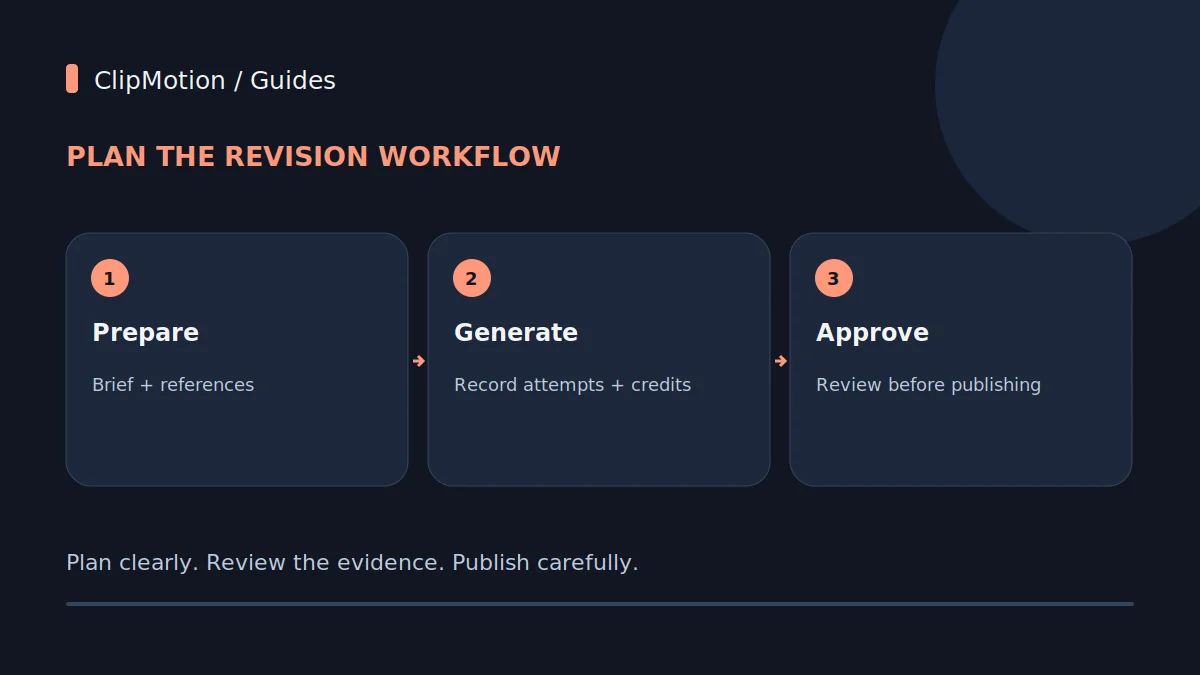
Navigating AI video production efficiently means understanding that "cost" extends beyond platform fees to encompass credit consumption for generations, the time invested in revisions, and the meticulous approval processes that ensure a final, on-brand product. This guide illuminates how strategic planning, a clear distinction between visual clip and overlay revisions, and an informed approach to re-generation and approval workflows are paramount for managing resources effectively, especially when developing a multi-scene project like a small brand launch.
Understanding AI Video Production Costs Beyond the Price Tag
When embarking on AI video production, it's crucial to broaden the definition of "cost." Beyond the direct financial outlay for platform access or subscription, the true cost encompasses the consumption of generation credits, the invaluable time of your team in planning and reviewing, and the effort expended in an iterative revision cycle. For a small brand launching with a four-scene video, every decision, from initial concept to final approval, directly impacts these resources. Unlike traditional production where a single shoot might generate multiple takes, AI video generation often consumes credits for each distinct visual output, regardless of how minor the perceived difference. Thus, understanding the distinction between platform provider fees for access and the user-consumed credits for generative operations is fundamental. Provider costs and application credits are separate measures; use the current plan terms to estimate what a campaign will actually cost. Proactive planning and a systematic approach to approvals are not just best practices; they are the primary cost-saving mechanisms in this new production paradigm.
The Strategic Planning Phase: Minimizing Iterations
The most significant lever for controlling AI video production costs – in terms of credits and time – is a meticulous strategic planning phase. Before any generation occurs within a tool like ClipMotion, a clear blueprint for your video is essential. For our hypothetical four-scene small brand launch, this means defining the precise objective for each scene, identifying the target audience, and articulating the key message to be conveyed.
- Scene 1: Product Reveal (Objective: Create intrigue, showcase aesthetics. Message: "Introducing [Product Name], where design meets purpose.")
- Scene 2: Key Feature Demonstration (Objective: Highlight unique selling proposition. Message: "Experience effortless innovation with [Feature A] and [Feature B].")
- Scene 3: User Benefit Showcase (Objective: Connect product to user lifestyle. Message: "Transform your daily routine, elevate your well-being.")
- Scene 4: Call to Action (Objective: Drive engagement. Message: "Discover [Product Name] today. Visit our site!")
The ClipMotion scene workflow encourages this planning by asking users to define scenes before generating visual clips. This is where you supply product references, including high-quality image uploads and direct product links.
First Draft Generation: The Credit Consumption Point
Check the current credit terms before generating: reservations, successful generations, failed attempts and refunds may be handled differently. Track the credits recorded by the application rather than assuming every request is billed identically. This is where LTX 2.5, ClipMotion's visual scene creation engine, comes into play. For our four-scene brand launch, each scene's visual component will be generated individually based on the template chosen and the specific prompt, references, and messaging provided in the planning phase. It's critical to set realistic expectations: visual fidelity must be reviewed and is never guaranteed. This isn't a flaw in the system but an inherent characteristic of generative AI. The AI interprets your input and renders a visual representation, which may not always perfectly align with your internal vision, especially for nuanced or abstract concepts.
Upon generation, your "first draft" comprises the raw visual clips for each of the four scenes. These clips lack the exact text, logo, and call-to-action overlays that Remotion will add later. Expect the visual style to be consistent with the selected template, but scrutinize the details: product representation, lighting, background, and the overall mood.
Internal Review and Initial Acceptance Criteria
Before any external eyes, or even your core marketing team, review the AI-generated clips, it's vital to conduct a thorough internal assessment against pre-defined acceptance criteria. This step significantly reduces the likelihood of unnecessary revisions and wasted credits. For our four-scene brand launch video, specific criteria should be established for each visual clip, separate from the overlay text that Remotion will add.
Let's take Hypothetical Example: Scene 1 (Product Reveal).
- Acceptance Criteria for Visual Clip:
- Is the new product, the "ZenFlow Diffuser," clearly and accurately depicted?
- Does the visual style align with our brand's minimalist and calming aesthetic?
- Is the lighting appealing and does it highlight the diffuser's unique features?
- Is the background clean and uncluttered, supporting the product's focus?
During this review, distinguish between issues that affect the visual clip's validity and those that might only require overlay adjustments. If the "ZenFlow Diffuser" in Scene 1 appears distorted, or its signature amber glow is absent, that's a visual clip issue requiring regeneration.
Handling Revisions: Visual Clips vs. Overlays
Understanding the critical distinction between revising visual clips and editing overlays is central to managing your AI video production costs. This differentiation dictates whether you consume additional generation credits or simply make a minor, credit-free adjustment.
- Visual Clip Revision: If LTX 2.5, ClipMotion's visual engine, doesn't capture the visual intent accurately – perhaps the product's angle is unflattering, the setting is off-brand, or the overall visual fidelity is not up to par – then the visual clip itself is deemed invalid. A changed reference (e.g., uploading a new, higher-resolution product image) or a revised prompt (e.g., adding more descriptive keywords about lighting or environment) will necessitate regenerating that specific scene's visual clip. This action consumes additional credits because the AI is creating a new visual asset from scratch. For our brand launch, if Hypothetical Example: Scene 2 (Feature Demonstration) shows a generic hand interacting with the product instead of a distinct, elegant movement, that visual clip would need regeneration.
- Overlay Revision: In contrast, if the visual clip is perfectly acceptable, but the text, logo, or Call-to-Action (CTA) needs modification, this is an overlay revision.
Retry Failure Handling and Decision Points
Despite careful planning, AI generation can sometimes fall short of expectations. LTX 2.5 might produce a visual clip that fundamentally fails to meet the criteria, even after a first attempt. This constitutes a "retry failure." When this occurs, don't immediately regenerate without analysis; approach it as a decision point to minimize wasted credits.
- Initial Fixes: Before re-running a generation, analyze why the previous attempt failed. Was the prompt too vague or contradictory? Were the reference materials (product links, image uploads) insufficient, low quality, or not representative enough? Often, refining the prompt with more specific adjectives, clearer contextual details, or supplying alternative, higher-fidelity images can significantly improve the outcome. For our hypothetical brand launch, if Scene 3 (User Benefit Showcase) is meant to convey "elevated well-being" but the generated clip is overtly generic or abstract, first refine the prompt to be more concrete: "Person meditating peacefully in a sunlit modern apartment with the diffuser subtly active in the background."
- When to Consider a New Approach: If multiple attempts with refined prompts and references still yield unsatisfactory results for a particular scene, it's time to consider a more drastic change.
Version Registry and Approval Workflow for Clips
Even though ClipMotion saves your projects, a deliberate version registry and structured approval workflow for visual clips are paramount. This isn't about ClipMotion's internal versioning capabilities, but your team's process to prevent miscommunication and ensure all stakeholders are aligned before incurring further costs in final composition.
For our four-scene brand launch:
- Initial Generation: Let's say Scene 1 (Product Reveal) is generated. Label it internally as "Scene1_ProductReveal_v1."
- Internal Review & Feedback: The internal team reviews "Scene1_ProductReveal_v1." Feedback: "Product is too dark."
- Prompt/Reference Revision & Regeneration: Prompt adjusted, a new clip generated. This becomes "Scene1_ProductReveal_v2_corrected_lighting." This step consumes credits.
- Stakeholder Approval Before Motion: This is the critical juncture. Before moving to Remotion for final composition, the visually approved clips for all four scenes must receive explicit sign-off. This includes marketing leadership, product management, and potentially legal (if visual elements have compliance implications).
Final Composition with Remotion and Post-ClipMotion Steps
Once all individual visual clips for your four-scene brand launch have undergone rigorous internal review and secured explicit stakeholder approval, the project moves to the final composition phase within ClipMotion, primarily utilizing Remotion. This stage is where your exact message, chosen fonts, brand logo, and Call-to-Action (CTA) are seamlessly integrated onto the approved visual clips. Assuming the underlying visuals are solid, this step is generally less credit-intensive, as Remotion's function is to overlay, not to generate new visual content.
- Remotion Integration: Remotion precisely places the text, logo, and CTA you defined in the planning stage onto each scene's visual clip. This includes ensuring proper alignment, sizing, and readability according to your brand guidelines.
- Full Video Review: After Remotion has assembled the complete video (all four scenes combined with their respective overlays), a final comprehensive review is crucial. This review focuses on:
- Text Readability and Accuracy: Is all overlay text clear, correctly spelled, and positioned optimally?
Worked Example 1: The "Product Doesn't Look Right" Scenario
Hypothetical Situation: For our four-scene small brand launch video, Scene 1 is intended to be a sleek product reveal of the "ZenFlow Diffuser." During the strategic planning phase, a good quality image of the diffuser was uploaded, and the prompt was initially "ZenFlow Diffuser, minimalist background."
Problem Encountered: Upon generating the first draft of Scene 1, the LTX 2.5 visual clip depicts the diffuser, but it appears slightly distorted, lacking its signature amber light effect, and the minimalist background is too dark, giving a gloomy instead of serene impression. Visual fidelity, as expected, was not guaranteed and fell short.
Decision Point: This is a clear visual clip issue. The core visual asset itself is incorrect or unappealing. This requires regenerating the clip, which will consume additional credits. This is not an overlay fix.
Step-by-Step Fix:
- Analyze the Failure: Review the generated clip alongside the initial prompt and uploaded reference image. The prompt "minimalist background" was too vague, and it didn't emphasize the product's unique light effect.
Worked Example 2: The "Message Needs Tweaking" Scenario
Hypothetical Situation: For our four-scene small brand launch video, Scene 4 is the Call-to-Action (CTA). The visual clip for this scene, generated by LTX 2.5, shows a beautifully serene shot of the "ZenFlow Diffuser" in a home environment, perfectly aligned with the brand's aesthetic. The marketing team had initially planned the overlay text for this scene to be "Buy Now."
Problem Encountered: During the final review of the fully composed video (after Remotion integrated all text and logos), the marketing director provides feedback that "Buy Now" feels too transactional and aggressive for the brand's soft, wellness-focused image. They prefer a more inviting and brand-aligned CTA.
Decision Point: This is an overlay text issue. The underlying visual clip is perfectly valid and approved. This does not require regenerating the visual clip and therefore does not consume additional generation credits.
Step-by-Step Fix:
- Identify the Nature of the Problem: The issue is with the messaging, specifically the overlay text, not the visual component of Scene 4. 2.
Common Mistakes and Proactive Fixes
Efficient AI video production hinges on avoiding common pitfalls that often lead to excessive credit consumption and project delays. Being aware of these mistakes and implementing proactive fixes can significantly streamline your workflow.
- Lack of Detailed Planning:
- Mistake: Rushing into generation with vague scene descriptions or imprecise messaging.
- Fix: Dedicate substantial time to the ClipMotion scene workflow. Define specific objectives for each scene, write exact messages, and gather comprehensive reference materials (high-resolution images, precise product links, detailed descriptions of desired visual elements). This upfront investment drastically reduces the need for regeneration.
- Failing to Provide Clear Reference Materials:
- Mistake: Uploading low-resolution product images, providing generic links, or omitting critical visual details.
- Fix: Always supply the highest quality, most representative images and detailed product links. For specific visual effects or nuances, explicitly describe them in the prompt. Remember, some stores block direct imports, so prepare direct uploads where necessary.
- Not Setting Clear Acceptance Criteria:
- Mistake: Subjective review processes without specific benchmarks for visual fidelity.
- Fix: Before any generation, define concrete acceptance criteria for each visual clip. What must be present?
- Approving Visuals Without Critical Scrutiny:
- Mistake: Rushing through visual clip approvals, only to find major issues later in the final composition.
- Fix: Implement a dedicated approval gate for visual clips only.
Final Checklist for Efficient AI Video Production
To ensure your next AI video production project, especially a multi-scene brand launch, runs smoothly and cost-effectively within ClipMotion, follow this concise checklist:
- Define Clear Objectives: For the entire video and each individual scene.
- Gather Comprehensive References: High-resolution product images, specific brand assets, and relevant product links.
Frequently Asked Questions
1. How can I minimize credit usage for revisions? Minimizing credit usage primarily involves thorough upfront planning and understanding the types of revisions. First, invest heavily in the strategic planning phase: provide extremely detailed prompts, high-quality reference images, and clear instructions for each scene's visual and textual content. Secondly, rigorously distinguish between visual clip issues (requiring LTX 2.5 regeneration, which consumes credits) and overlay issues (text, logo, CTA adjustments via Remotion, which typically do not). If the visual clip is valid but the messaging needs tweaking, you save credits.
2. What should I do if the AI consistently fails to produce the desired visual? If multiple attempts with refined prompts and improved references still yield unsatisfactory visual clips from LTX 2.5, it's time to re-evaluate your approach. First, consider if your desired visual is too complex, abstract, or highly specific for current AI capabilities to render consistently with guaranteed fidelity. You might experiment with a different template within ClipMotion or fundamentally rethink the visual concept for that particular scene.
3. Is it possible to edit visual elements after ClipMotion generates a clip? Within ClipMotion's core functionality for generating visual clips via LTX 2.5, direct editing of generated visual elements (like altering an object's position, changing lighting post-generation, or fine-tuning a visual effect) is generally not possible. Once a visual clip is generated, if it doesn't meet requirements, you typically need to adjust your prompt or references and regenerate the clip, consuming additional credits.
4. When should I use authentic footage/photos instead of AI generation? You should opt for authentic footage or photographs when visual fidelity, specific brand nuances, or highly realistic depictions are paramount and AI generation struggles to meet those standards.
Start your project today with ClipMotion and transform your brand's messaging into dynamic video content.