How to Create AI Product Video Ads: A Practical Guide for Ecommerce Brands
Build a clear product ad from references, scenes and exact brand text. A practical ClipMotion workflow for ecommerce teams.
By the ClipMotion team · · 3,048 words · 14 min read
A ClipMotion brand guide written with AI assistance. Worked examples are hypothetical and do not represent measured customer results.
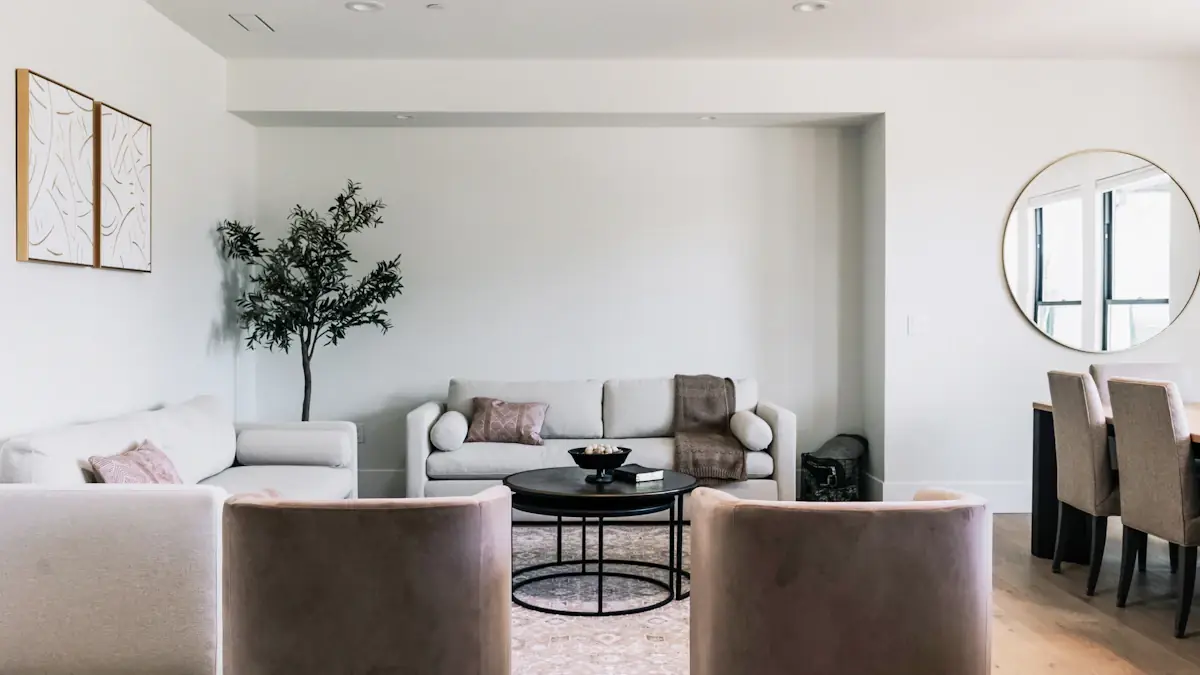
Creating effective AI product video ads for ecommerce requires a disciplined workflow that separates atmospheric visuals from factual product evidence. The most reliable approach combines a brief with verified product attributes, builds a three-scene narrative, selects references carefully, uses modest camera movement, adds overlay text strategically, and maintains a clear approval workflow. For a ceramic desk lamp, this means distinguishing the warm glow and material texture (generated atmosphere) from actual dimensions, bulb compatibility, and cord length (evidence that must be accurate). This guide walks through each decision point with concrete steps, using the ceramic desk lamp as a running example to show how theory becomes practice.
Defining Your Brief and Verified Attributes
Every AI-generated video ad begins with a brief that separates what you know from what you want to suggest. Verified attributes are the non-negotiable facts about your product. For this hypothetical ceramic desk lamp, imagine that the manufacturer has verified the material, dimensions, socket type, cord length and available finishes. These are example fields to verify, not specifications for a real product. Never add an electrical rating or safety certification without the relevant manufacturer documentation.
Unverified or atmospheric elements belong in a separate category. "Creates a cozy reading nook" is an impression, not a fact. "Warm amber glow" depends on bulb choice. The brief should list both categories explicitly, marking atmosphere with [ATMOSPHERE] and evidence with [EVIDENCE]. This discipline prevents later disputes when a generated scene shows the lamp illuminating an entire living room when the actual lumen output suits only a desk surface.
Write your brief before opening any AI tool. A one-page document with five verified attributes and three desired atmospheric impressions gives every subsequent decision a reference point. Without this anchor, teams chase visual appeal and lose factual accuracy.
Building the Three-Scene Narrative Structure
AI video ads compress poorly when they attempt to tell everything at once. The three-scene structure imposes discipline: Scene One establishes context and desire, Scene Two demonstrates the product in use, Scene Three provides proof and call-to-action. Each scene serves a distinct cognitive function, and together they fit typical platform durations without rushing.
For the ceramic desk lamp, Scene One might open on a cluttered evening desk—papers, cold coffee, harsh overhead lighting. The atmosphere is frustration, transition, possibility. Scene Two introduces the lamp: a hand reaches in, the ceramic base appears, the light changes quality. The action is simple and repeatable. Scene Three shows the resolved workspace, then cuts to a static product view with text overlay confirming "Hand-glazed ceramic. 6 ft cord. E26 LED."
This is one possible structure, rather than a requirement to delay the product reveal. A product-first opening can be appropriate when recognition matters most. Choose the order according to the audience and the evidence you can show; do not assume a model preserves the product more accurately simply because it appears later. The narrative also creates natural breakpoints for approval—each scene can be reviewed independently before composition.
Selecting Product References That Survive Generation
Reference selection determines whether your generated output resembles your actual product or a generic approximation. ClipMotion allows users to supply product references through two paths: direct image upload or product link analysis. Some ecommerce stores block automated import, which means direct uploads become necessary. This is not a tool failure but a platform protection, and teams should prepare for it.
For the ceramic desk lamp, ideal references include: a straight-on product photograph against neutral background, a detail shot showing glaze texture, a scale reference with a common object (coffee mug, standard notebook), and a lit photograph showing actual light quality. Avoid references with heavy styling, extreme angles, or color grading that distorts the ceramic's true tone.
The critical discipline: review whether a changed reference invalidates previously generated clips. If you replace a reference showing sage green with one showing terracotta, all prior visual clips require revalidation. ClipMotion's project saving preserves your work, but visual context changes demand fresh review. Teams should version their reference sets and note which clips were generated against which references.
Planning Scenes Before Generating Clips
The scene workflow in ClipMotion exists precisely to prevent the common error of generating first and planning later. This step asks you to define each scene's purpose, duration, and required elements before any visual generation begins. It is the difference between controlled production and expensive experimentation.
For the ceramic desk lamp, the scene workflow might specify:
- Scene One: 4 seconds, desk environment, no product visible, mood: transition from harsh to soft light
- Scene Two: 5 seconds, product introduction, hand interaction, camera: slow orbit 15 degrees
- Scene Three: 3 seconds, static product hero, text overlay zone reserved
This plan prevents scope creep. Without it, teams generate beautiful clips that do not connect narratively, or discover too late that their third scene needs a different aspect ratio. The workflow also identifies dependencies: Scene Two requires the lamp reference approved, Scene Three requires final text copy. ClipMotion's structure enforces this sequencing naturally, but the creative team must supply the intent.
Generating Visual Scenes with Appropriate Fidelity Expectations
LTX 2.5 creates the visual scenes in this workflow. Its outputs can be striking, but visual fidelity must be reviewed and is never guaranteed. This is not a limitation to workaround but a production reality to manage. Every generated clip requires human review against verified product attributes.
For the ceramic desk lamp, review checkpoints include: Does the ceramic glaze match the reference photograph's color and texture variation? Is the proportion correct relative to the hand or desk objects? Does the light source position match the actual bulb location? Does the cord appear with appropriate length and switch placement? Atmospheric elements—shadow softness, ambient bounce, color temperature—can vary without factual harm. Structural elements cannot.
A specific mistake: accepting a generated clip where the lamp base appears glossy plastic rather than matte glazed ceramic. The fix is not to adjust prompts indefinitely but to return to reference selection, verify the texture detail shot was included, and regenerate with stronger visual guidance. Another mistake: assuming consistency across generations. The same prompt produces variation; plan for selection and curation, not single-shot perfection.
Applying Modest Camera Movement for Credibility
AI video generation tends toward dramatic camera motion—sweeping drones, impossible orbits, velocity ramps. These movements signal artificiality to experienced viewers and distract from product examination. Modest camera movement maintains credibility and keeps attention on the product.
For the ceramic desk lamp, appropriate movements include: a slow horizontal reveal (camera tracks 20cm left to right), a gentle push-in toward the ceramic texture, a subtle tilt from shade to base. Inappropriate movements include: orbiting the lamp 360 degrees in three seconds, flying through the lampshade interior, or accelerating into a freeze-frame.
The practical test: could this camera movement be achieved with a small slider, a careful hand, or basic stabilization? If yes, the movement will likely enhance credibility. If no, it may impress briefly but undermine trust. In the creative brief for a ClipMotion scene, describe one observable camera movement rather than stacking cinematic adjectives. A phrase such as "slow push-in with a gentle downward tilt" is easier to review against the result. Numeric camera directions are suggestions for the model, not guaranteed mechanical controls.
Composing Final Output with Exact Overlay Text
Remotion handles the final composition: adding exact text, logo, and call-to-action elements. This separation between visual generation and text composition is structurally important. It means editing overlay copy does not require regenerating a still-valid visual clip. If your "Free Shipping" text needs to become "Free Shipping Over $50," you adjust the composition layer without touching the visual scene.
For the ceramic desk lamp, overlay text should appear only in Scene Three or as minimal labels in Scene Two. The text hierarchy runs: product name (largest), verified attribute or offer (medium), call-to-action (smallest but high contrast). Example: "Artisan Ceramic Desk Lamp" / "Hand-glazed, E26 LED, 6ft cord" / "Shop Sage & Terracotta."
A specific mistake: placing detailed specifications over atmospheric early scenes. This wastes the emotional setup and crowds the visual field. Another mistake: treating overlay text as afterthought. Write text candidates during the brief stage, test them for character count against your composition template, and confirm readability at mobile display size. Remotion's composition tools accommodate this planning, but the team must supply the constraint-aware copy.
Distinguishing Generated Atmosphere from Factual Evidence
This distinction governs every ethical and effective AI video ad. Generated atmosphere creates impression and desire. Factual evidence creates trust and reduces returns. Confusing the two produces ads that attract clicks but disappoint purchasers.
Generated atmosphere for the ceramic desk lamp includes: the quality of light on surrounding surfaces, the mood of the environment, the styling of complementary objects, the time of day implied. These can be idealized, romanticized, even slightly impossible. The styling can be aspirational, but it should not misrepresent the lamp's actual brightness or capabilities.
Factual evidence includes: physical dimensions, material composition, electrical specifications, available colors, safety certifications. These must be accurate or the ad becomes deceptive. The ceramic is ceramic, not resin. The cord is six feet, not "generous length." The socket is E26, not "standard bulb."
The practical implementation: review every frame with two passes. Atmosphere pass: does this create appropriate desire? Evidence pass: could a purchaser successfully identify the exact product from these details? When atmosphere and evidence conflict—say, a generated scene implies wireless operation when the cord is visible—resolve in favor of evidence or add clarifying overlay.
Establishing Your Approval Workflow
AI-generated video requires adapted approval because traditional linear review breaks down. Stakeholders cannot simply "see the cut" when individual scenes may regenerate with variation. The workflow needs stages that match the tool structure.
Stage One: Brief approval. Verified attributes, atmospheric intentions, narrative structure agreed by marketing, product, and legal if applicable.
Stage Two: Reference approval. Product photography selected, color accuracy confirmed against physical samples, version noted.
Stage Three: Scene plan approval. The ClipMotion scene workflow reviewed for narrative coherence and technical feasibility.
Stage Four: Visual generation and selection. Multiple options generated, fidelity-checked against references, best candidates selected.
Stage Five: Composition approval. Remotion overlay added, text accuracy confirmed, legal review of claims completed.
Stage Six: Final output review. Complete ad viewed at intended display sizes, compression checked, audio levels if applicable confirmed.
For the ceramic desk lamp, a typical hold-up occurs at Stage Four when product management rejects a generated glaze color. The fix is not to adjust prompts blindly but to return to Stage Two, verify reference accuracy, and regenerate with corrected guidance. Projects are saved, so this iteration preserves prior planning work.
Worked Example One: Launching a New Color Variant
Hypothetical situation: the ceramic desk lamp line adds a midnight blue glaze. Marketing needs a 12-second video ad for social platforms.
Step-by-step decisions: First, update the brief with verified attributes—the midnight blue uses the same base, socket, cord, and dimensions, only the glaze color changes. Second, capture new reference photography: the blue reads differently under warm and cool light, so include both reference types. Third, in ClipMotion, create a new project using the proven three-scene structure from prior campaigns. Fourth, in the scene workflow, note that Scene Two's hand interaction should emphasize the new color's depth by showing light transition. Fifth, generate visual scenes with the new references, reviewing specifically for color accuracy against the physical sample. Sixth, compose in Remotion with text reading "New: Midnight Blue" and the established attribute list. Seventh, approval workflow runs through all six stages with special attention to Stage Two reference verification.
The mistake to avoid: assuming prior campaign clips remain valid with only color replacement. The changed reference and visual context requires checking whether prior clips remain valid. They likely do not, because glaze color affects light interaction throughout the scene.
Worked Example Two: Correcting a Post-Launch Specification Error
Hypothetical situation: the ceramic desk lamp's cord length changes from 6 feet to 8 feet due to supplier shift. Existing video ads show the shorter cord.
Step-by-step decisions: First, update verified attributes documentation. Second, assess which generated clips show cord length explicitly versus implicitly. Scene One, with no product visible, remains valid. Scene Two, with the lamp on desk and cord trailing, requires review—does the visible portion imply incorrect length? Scene Three, with static hero and text overlay, is immediately fixable: the text "6 ft cord" changes to "8 ft cord" in Remotion without regenerating the visual clip.
The editing overlay copy does not require regenerating a still-valid visual clip. This is the critical efficiency. However, if Scene Two's visual shows the cord terminating at a wall outlet with apparent tension suggesting short reach, that clip requires regeneration with updated references or revised staging. The changed reference or visual context requires checking whether prior clips remain valid—some may, some may not.
When Authentic Photography and Footage Remain Preferable
AI generation excels at atmospheric context and rapid iteration, but specific situations demand authentic capture. Recognizing these preserves budget and credibility.
Prefer authentic photography when: the product has irreplaceable tactile quality (the ceramic glaze's actual irregularity), when scale precision matters (the lamp beside specific laptop models), when any safety claim requires documented evidence, or when the brand promise centers on craftsmanship narrative (the actual artisan's hands).
Prefer authentic footage when: the product in motion has mechanical complexity (a lamp with adjustable arm), when user interaction must be demonstrated accurately (the inline switch operation), or when the marketing claim depends on real-time performance (actual light dimming behavior).
For the ceramic desk lamp, a hybrid approach often optimizes: AI-generated environment and atmosphere in Scenes One and Two, authentic product photography composited into Scene Three for hero accuracy. This uses each method where it performs best.
General Production Guidance for Format, Audio, and Measurement
Beyond the verified AI workflow, practical production requires attention to format, audio, and measurement—treated here as general guidance unless explicitly verified above.
Format: generate and compose at your primary distribution aspect ratio. Common ratios include 9:16 (vertical social), 16:9 (horizontal web), 1:1 (feed square). Attempting to crop AI-generated video after creation often destroys composed framing, especially with modest camera movements planned for specific dimensions.
Audio: if adding music or ambient sound, select tracks that match the atmospheric intention without claiming specific product function. The ceramic desk lamp makes no sound; audio should suggest environment, not imply silent operation is a feature. Voiceover requires script approval matching overlay text standards.
Measurement: track view-through rate, click-through rate, and return rate correlation. High engagement alongside returns warrants investigation of expectations, product quality and other causes. Low engagement can reflect targeting, distribution, timing or creative issues, so it does not diagnose a brief or reference failure by itself. These metrics guide iteration but do not automatically indicate AI-specific issues versus general creative performance.
Common Mistakes and Specific Fixes
Mistake: Over-relying on single reference images. Fix: Build a reference set of 4-6 images covering product angles, details, scale, and lit behavior.
Mistake: Approving atmosphere before verifying evidence. Fix: Run the evidence pass first; if facts fail, atmosphere is irrelevant.
Mistake: Generating at maximum duration regardless of narrative need. Fix: Match scene count to actual story requirements; two strong scenes beat three weak ones.
Mistake: Treating text overlay as final-step decoration. Fix: Draft overlay copy during brief stage, test against composition constraints early.
Mistake: Failing to version reference sets. Fix: Name references with date and product variant; note which clips generated against which set.
Mistake: Ignoring platform-specific silent autoplay. Fix: Design for text readability and visual narrative without audio dependency.
Acceptance Criteria for Completed Ads
An approved AI product video ad meets these standards: verified attributes are accurate and prominent; atmospheric elements are identifiable as impression, not claim; camera movement could plausibly be authentic; product representation matches reference photography within acceptable variation; text overlay is legible at intended display size; narrative progression is clear without audio; and the call-to-action is unambiguous.
For the ceramic desk lamp specifically: glaze color matches approved reference; proportions read correctly against hand or desk objects; cord length does not visibly contradict text claim; light quality suggests warmth without specifying unverified lumen output; and the final frame enables immediate purchase identification.
Final Checklist
- Brief written with separated [EVIDENCE] and [ATMOSPHERE] tags
- Relevant reference images checked and uploaded, version noted
- ClipMotion scene workflow completed for all three scenes
- LTX 2.5 visual clips reviewed against references for fidelity
- Remotion composition includes exact text, logo, CTA
- Overlay text edited without unnecessary visual regeneration
- Changed references checked for clip validity impact
- All six approval stages signed
- Output tested at intended aspect ratio and display size
- Product page content consistent with video claims
Frequently Asked Questions
How many reference images should I upload for accurate product representation?
Choose reference images for the information needed in the scene: product shape, texture, scale, lit behavior and any variant-specific angles. There is no universal number that guarantees an accurate result. More images do not automatically improve accuracy if they introduce conflicting lighting or styling. Quality and consistency matter more than quantity.
Can I reuse last month's video clips if only my sale price changed?
If the visual clips remain factually accurate and the change is purely in overlay text, yes. Editing overlay copy in Remotion does not require regenerating still-valid visual clips. However, if the "sale" context implies visual changes—say, a "Last Chance" graphic treatment affecting scene composition—review whether the visual context change demands clip revalidation.
Why does my generated lamp look plastic instead of ceramic?
This can arise from the reference, the scene description or the generation model. The output alone does not establish which cause is responsible. Verify your reference set includes explicit texture detail of the glazed surface. Check that the reference lighting does not flatten dimensional quality. If references are adequate, adjust scene workflow description to specify "matte glazed ceramic with subtle surface variation" rather than relying on the generator to infer material from product category.
How do I handle products from suppliers who block link import?
Direct image uploads are the alternative path. Prepare standardized reference photography as part of your product onboarding workflow, so AI video production is never blocked by import availability. This also gives you quality control over the references used, which often produces better results than automated import.
Ready to apply this workflow to your own products? Start a project in ClipMotion and work through the scene workflow with your verified attributes in hand.