Vertical Product Video Design: Composition, Readability and Calls to Action
Create mobile-friendly product scenes with space for text, useful framing and an obvious next step.
By the ClipMotion team · · 2,342 words · 11 min read
A ClipMotion brand guide written with AI assistance. Worked examples are hypothetical and do not represent measured customer results.
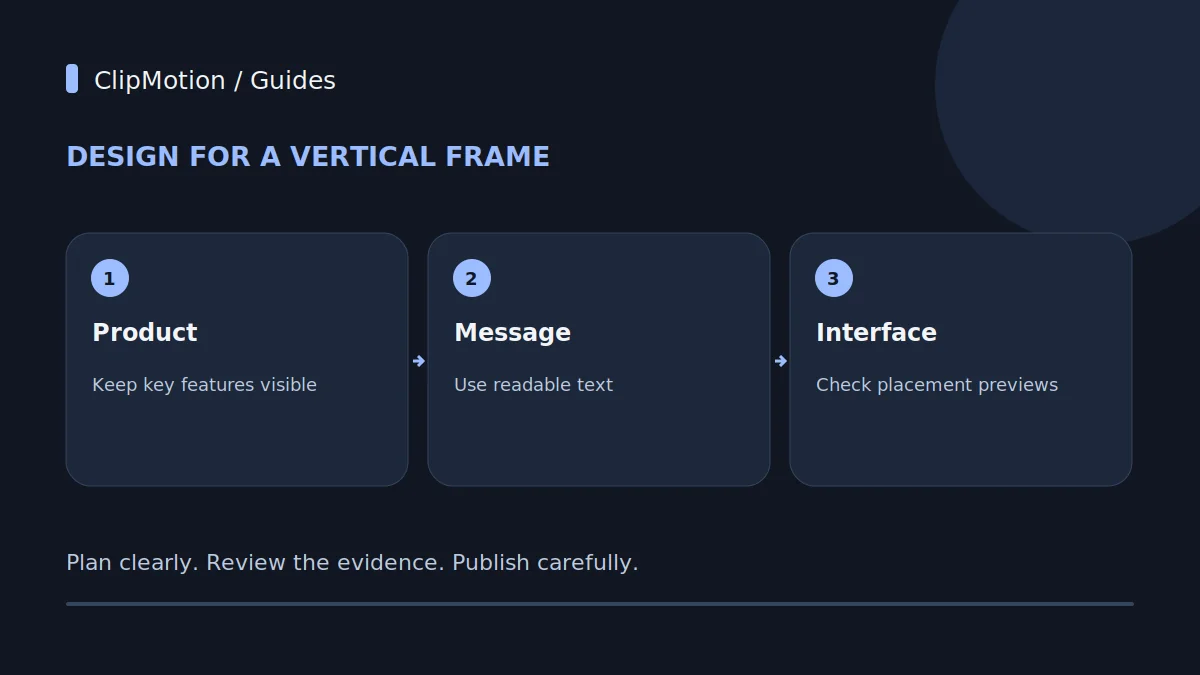
Effective vertical product video design prioritizes mobile-first consumption, demanding careful composition that accounts for varying interface elements, optimal subject margins, and product sizing to ensure clarity and impact. The key is to convey a single, compelling message with readable text lines, culminating in a deliberate and highly visible call to action. This approach moves beyond simply cropping a horizontal asset, instead focusing on creating content specifically tailored for a vertical, hand-held viewing experience where every visual element and word contributes to a clear, engaging narrative, such as showcasing a compact espresso cup set.
Understanding Verticality and User Context
Vertical video is the dominant format for mobile consumption, playing out on devices held in a user's hand, often in dynamic environments. This isn't merely about aspect ratio; it's about a distinct user experience. Viewers typically scroll quickly, consuming content in short bursts, often without sound initially. The screen real estate is vertically oriented, meaning a simple horizontal crop will likely yield a cramped or ill-composed frame. Consider our hypothetical compact espresso cup set. If it’s designed for a cozy home or a small office, a horizontal shot might capture the entire setup, including a coffee machine and decor. Cropping this for vertical presentation would either sever critical elements or render the cups too small to appreciate their design details.
Instead, vertical composition starts with the assumption that the phone is the primary canvas.
The Core Principle: Mobile-First Composition
Mobile-first composition for vertical video means designing the shot from the ground up to fit a tall, narrow frame, not adapting a wide one. For our compact espresso cup set, this implies an immediate focus on the cups themselves. Instead of a wide shot capturing a kitchen counter, consider a tighter framing that highlights the ergonomic handle, the delicate rim, or the subtle branding on the cup's surface. Subject margins become critical here. Unlike print or traditional video where subjects might extend to the edge of the frame, vertical video benefits from generous "safe zones" around the main product.
These margins protect the product from being accidentally obscured by fingers, on-screen interface elements (like social media buttons or the playback progress bar), or simply the user's natural grip on the phone.
Product Presentation: Size and Scale
The size and scale of your product within the vertical frame are crucial for impact and clarity. On a small mobile screen, an item that appears perfectly sized in a horizontal landscape could become minuscule and indistinguishable when cropped or placed poorly in a vertical layout. For our compact espresso cup set, the goal is to make the cups feel tangible and desirable. This often means filling a significant portion of the vertical frame with the product itself, while still respecting the necessary safe margins.
Consider a close-up shot that showcases the material texture, the sleek lines, or the stackability of the cups. A medium shot might feature one or two cups in use, perhaps with a hand holding one, to give a sense of scale and human interaction.
Navigating Interface Occlusion
One of the most significant challenges in vertical video design is interface occlusion – the overlay of platform-specific user interface elements (buttons, text fields, profile pictures) that can obscure vital parts of your content. These elements vary by platform and often shift dynamically, making pixel-perfect placement difficult. Common occlusion zones include the top header (profile picture, video title), the bottom toolbar (comments, likes, share buttons), and often a strip down the right side (profile icon, follow button).
When composing a scene featuring our compact espresso cup set, it's paramount to keep the product and any critical text or branding out of these high-risk areas. This reinforces the need for generous subject margins discussed earlier.
Crafting the Message: One Core Idea
In the fast-paced world of vertical video, attention spans are fleeting. This necessitates boiling down your communication to a single, impactful core message per video. Attempting to convey multiple benefits or complex features for our compact espresso cup set will dilute the message and overwhelm the viewer. Instead, identify the most compelling aspect of the product for your target audience. Is it the elegant design? Its compact size for small kitchens? The durable material? Its suitability as a thoughtful gift?
Once that core idea is established, every visual and textual element in the video should support it. If the message is "Elevate Your Morning Ritual," the visuals should showcase the espresso cups in a serene, perhaps sunlit, setting, emphasizing the experience rather than just the product features.
Text Readability: Font, Size, and Line Breaks
Text overlays are often critical for conveying the core message in vertical video, especially since many users watch without sound. Readability on a small mobile screen, potentially viewed outdoors or on the move, is paramount. Choosing an appropriate font – typically a clean, sans-serif typeface – is the first step. Avoid overly decorative or thin fonts that become illegible at small sizes. The font size needs to be large enough to be easily read, but not so large that it dominates the frame or pushes other important elements out of the safe zone.
Consider the number of lines of text: for maximum readability and quick comprehension, aim for no more than two to three lines. Each line should be short, ideally under 20-25 characters.
Strategic Call to Action Placement
A well-composed vertical product video, even one highlighting an elegant compact espresso cup set, is incomplete without a clear and strategically placed call to action (CTA). The CTA guides the viewer on what to do next, transforming interest into action. Given the constraints of vertical video and interface occlusion, the CTA needs to be highly visible without being intrusive. Typically, the lower-middle portion of the screen, just above the common occlusion zones, is an effective placement for a concise CTA.
The CTA itself should be short, actionable, and compelling. "Shop Now," "Learn More," "Discover Your Set," or "Get Yours" are common examples. For the espresso cup set, a CTA like "Elevate Your Mornings – Shop Now" connects to the product's benefit.
Step-by-Step Decision Making with ClipMotion
Creating effective vertical product videos, such as one for our compact espresso cup set, involves a structured decision-making process, especially when leveraging AI-powered tools like ClipMotion.
- Define Your Core Message and Target Audience: Before anything else, clarify the single most important message about your espresso cup set (e.g., "Perfect Gift," "Space-Saving Design," "Durable Quality") and who you're speaking to. This will inform all subsequent visual and textual choices.
- Choose a ClipMotion Template: Browse ClipMotion’s library for templates that align with the aesthetic and energy you want for your espresso cup set. Some templates might be bright and airy, suitable for a "morning ritual" theme, while others could be more sophisticated for a "luxury gift" angle.
3.
4.
5.
6.
- Review Visual Fidelity: Critically examine the generated clips.
Worked Example 1: Elegant Mornings Espresso Set
Let's illustrate with a hypothetical product: an "Elegant Mornings" compact espresso cup set, featuring delicate porcelain with a minimalist design.
Initial Mistake: The video is generated with the espresso cup set placed centrally but too small in the frame, surrounded by excessive negative space. The text overlay reads "Our Elegant Mornings Espresso Set: Perfect for small spaces, featuring premium porcelain and a comfortable ergonomic handle. Available in three classic colors for your elevated morning routine." This text is four lines long, using a thin serif font, and appears close to the bottom of the screen. The CTA, "Click Here to Purchase," is partly obscured by a mock social media "Like" button in the review stage.
Analysis of Mistakes:
- Product Size: The espresso cups, despite being the star, are visually insignificant.
Worked Example 2: Durable Travel Espresso Set
Let’s consider another hypothetical product: a "Durable Travel" compact espresso cup set, made from reinforced ceramic, designed for portability and resilience, perhaps with a silicone sleeve.
Initial Mistake: The video generated for this set shows the cups against a busy background—a crowded cafe table with many other items. The cups blend into the surroundings. The text overlay reads: "Tired of flimsy travel cups? Our new set is strong, compact, and eco-friendly! Great for camping, commutes, or gifts." This is too much text. The CTA is a small "Learn More" button in the bottom right corner, partially obscured by a mock profile picture. The visual tone is inconsistent, oscillating between a bustling cafe and outdoor adventure.
Analysis of Mistakes:
- Background Clutter: The busy background detracts from the product.
Fixes and Adjustments using ClipMotion: 1.
Visual Fidelity Review and Acceptance Criteria
After ClipMotion’s LTX 2.5 generates visual clips based on your product references and scene plan, a rigorous visual fidelity review is essential. It's crucial to remember that visual fidelity must be reviewed and is never guaranteed. This means the AI might interpret references in unexpected ways, or generate elements that don't quite match your brand's aesthetic or the product's true appearance.
For our compact espresso cup set, here's what to scrutinize:
- Product Accuracy: Do the espresso cups look exactly like your actual product? Check for correct color, material texture (e.g., porcelain vs. ceramic vs. metal), branding details, and proportions. Is the handle the right shape? Is the base as depicted?
- Contextual Coherence: Does the background or environment make sense for the product and your message?
Acceptance Criteria for a Clip: A clip is acceptable if: 1.
Common Mistakes and How to Avoid Them
Creating compelling vertical product videos requires vigilance to avoid pitfalls that can diminish their effectiveness.
- Over-stuffing the Frame: A common mistake is trying to fit too much into the vertical frame, whether it's too many products, excessive decorative elements, or verbose text. This makes the video cluttered and difficult to parse quickly.
- Fix: Prioritize one product (e.g., our compact espresso cup set) and one core message. Use negative space strategically to draw attention to the main subject.
- Neglecting Safe Zones: Placing critical information (product, text, CTA) too close to the edges where platform UI elements often reside.
- Fix: Always design with generous safe margins in mind. Preview your video on a mobile device and mentally (or physically) overlay common UI elements to check for occlusion.
3.
4.
5.
Final Checklist for Vertical Video Success
Before publishing your vertical product video for, say, a compact espresso cup set, use this checklist to ensure it's optimized for mobile consumption and maximum impact:
- Composition:
- Is the espresso cup set the undeniable focal point?
- Are generous safe margins applied around the product and all key elements?
- Is the product sized appropriately to be clearly visible and impactful on a small screen?
- Are critical visual elements (e.g., unique cup design, brand logo) positioned away from common interface occlusion zones?
- Message:
- Does the video convey one clear, concise core message about the espresso cup set?
- Is all text overlay succinct (2-3 lines max) and easily readable (font, size, contrast)?
- Does the visual narrative support the core message without distraction?
- Call to Action (CTA):
- Is there a single, clear, and actionable CTA?
- Is the CTA prominently placed in a safe zone, ensuring high visibility?
- Is the CTA compelling and directly related to the product?
- Visual Fidelity (ClipMotion Specific):
- Have all visual clips generated by LTX 2.5 been thoroughly reviewed for accuracy and quality?
- Does the espresso cup set look authentic in terms of color, texture, and proportion?
- Are there any visual artifacts or inconsistencies that detract from the professional appearance?
- Are you satisfied with the visual outcome, remembering fidelity is not guaranteed?
Frequently Asked Questions
How does ClipMotion handle variations of my product, for example, the compact espresso cup set in different colors or materials?
ClipMotion's LTX 2.5 generates visual clips based on the product references you supply. To showcase variations of your compact espresso cup set (e.g., black, white, or ceramic vs. stainless steel), you should provide distinct high-quality images or product links for each variation. You can then use the scene workflow to plan specific scenes for each version or create separate projects for different product lines. If you change a product reference within an existing project, you'll need to check whether prior clips remain valid, as the visual context may have changed.
What if my e-commerce store blocks product link analysis for ClipMotion?
Some e-commerce platforms have security settings or architectural choices that prevent external tools from analyzing product links. If ClipMotion encounters such a block when you try to import product details for your espresso cup set, you will need to directly upload relevant product images instead. Ensure these images are high-resolution and clearly depict the product from various angles, providing ClipMotion with the necessary visual data to generate accurate scenes.
Can I modify the text overlays or call to action in my vertical video without having to regenerate all the visual clips?
Yes, ClipMotion's Remotion feature is designed for this flexibility. Once LTX 2.5 has generated a visual clip you are satisfied with, you can use Remotion to adjust the exact text for your message, brand logo, or call to action. Editing overlay copy does not require regenerating a still-valid visual clip. This is highly efficient, allowing you to fine-tune your messaging and CTAs quickly without waiting for new visual processing.
When should I re-evaluate or regenerate existing video clips for my espresso cup set?
You should re-evaluate or regenerate existing video clips whenever there's a significant change that could impact their visual validity or effectiveness. This primarily includes a changed product reference (e.g., if your espresso cup set gets a design update, a new color, or different packaging) or a changed visual context (e.g., you decide to shift your brand's aesthetic, or the original background environment is no longer suitable). In such cases, checking whether prior clips remain valid is essential, as outdated visuals can undermine your brand's credibility.
Vertical video is a powerful and direct channel for product engagement. By focusing on mobile-first composition, ensuring readability, and strategically placing your call to action, you can create highly effective content that resonates with your audience. Start your ClipMotion project today and transform your product presentation.