Short-Form Video Ad Hooks: Make the First Scene Clear and Relevant
Plan product-specific opening scenes and test hooks against a defined creative hypothesis.
By the ClipMotion team · · 2,373 words · 11 min read
A ClipMotion brand guide written with AI assistance. Worked examples are hypothetical and do not represent measured customer results.
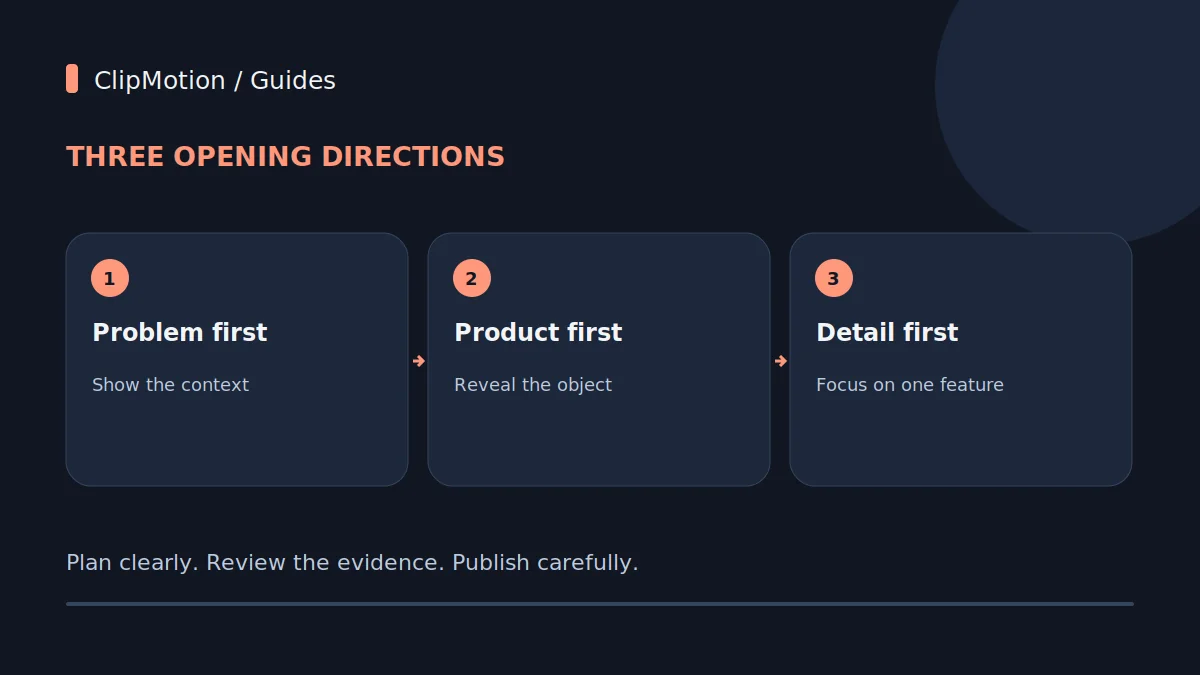
An effective short-form video ad hook immediately captures attention by presenting a clear problem, showcasing a desirable product, or highlighting a unique detail within the first few seconds, ensuring instant relevance and easy comprehension for the mobile viewer. The goal is to articulate the value proposition or resonate with a pain point so rapidly that the viewer understands the core message without needing to watch the entire ad. This foundational clarity avoids ambiguity and directly addresses the audience's needs or interests, compelling them to continue watching and learn more about the solution being offered.
The Imperative of First-Scene Clarity and Relevance
In the fast-paced world of short-form video, every millisecond counts, but not in the way many marketers assume. The true imperative isn't merely to "hook" within a magical three-second window, but to establish absolute clarity and relevance from the very first scene. Viewers scroll rapidly, and their decision to pause is often made instantaneously based on a fleeting visual cue and an implied message. For a product like an adjustable laptop stand, the opening shot must either depict the discomfort it solves (e.g., someone hunched over a laptop), or immediately present the sleek, ergonomic solution in action. Without this immediate connection, the ad risks being dismissed before its message can even begin to unfold.
Mobile comprehension is paramount here. Videos are often watched on small screens, in environments with distractions, and sometimes without sound. This means visuals must be self-explanatory, and any overlay text introduced later by tools like Remotion needs to be large, high-contrast, and succinct.
Beyond the "Universal Seconds" Myth
The pervasive belief that every short-form video ad must hook a viewer within a fixed "first three seconds" is a misleading oversimplification. While quick engagement is vital, relying on an arbitrary time limit often leads to rushed, uninformative openings that fail to deliver genuine value or clarity. The true measure of a successful hook isn't its duration, but its ability to immediately resonate and motivate continued viewing. Some hooks might take a fraction of a second to register, while others might effectively build intrigue over five seconds, provided each moment delivers a meaningful piece of information or emotion. The "universal seconds" myth can lead creators to cram too much into the opening, resulting in a cluttered, confusing, and ultimately ineffective start.
Instead of rigidly adhering to a time constraint, focus on the psychological impact of the opening scene. Does it trigger curiosity? Does it present a relatable problem? Does it showcase an aspirational outcome?
Crafting Problem-First Hooks
A problem-first hook immediately presents a relatable pain point or challenge that the target audience likely experiences, positioning the product as the ultimate solution. This approach builds instant empathy and creates a strong "aha!" moment, as viewers recognize their own struggles reflected on screen. To craft such a hook effectively, begin by identifying the core frustration your product alleviates. For an adjustable laptop stand, common problems include a screen positioned too low, limited desk space, or an unorganized workspace.
Visually, the key is to depict this problem clearly and concisely. Avoid abstract representations; instead, show it in action. A hypothetical example for the adjustable laptop stand could feature a person visibly hunched over their laptop on a desk, rubbing their neck with a look of discomfort. The scene should last just long enough for the viewer to register the discomfort and identify with it.
Developing Product-First Hooks
A product-first hook places the item at the center of attention from the very beginning, showcasing its design, functionality, or a key benefit immediately. This strategy is effective when the product itself is visually appealing, innovative, or instantly recognizable as a solution. The goal is to make the viewer think, "What is that?" or "I need that!" within the first few moments. For our adjustable laptop stand, this could mean opening with a sleek, dynamic shot of the stand extending smoothly, or a close-up highlighting its premium materials and sturdy construction.
To execute a compelling product-first hook, prioritize visual impact. Consider how the product looks and how it solves a problem through its physical attributes or immediate action. An opening scene might feature the adjustable laptop stand rotating to reveal its various angles, or a hand effortlessly adjusting its height, instantly demonstrating its core function.
Executing Detail-First Hooks
A detail-first hook zeros in on a specific, unique feature or benefit of the product, using it as the primary point of engagement. This approach works well for products with innovative components, patented technologies, or small but significant design elements that differentiate them from competitors. Instead of showing the whole product or the overarching problem, the detail-first hook creates intrigue by highlighting a specific element and inviting the viewer to learn more about its significance. For the adjustable laptop stand, such a detail could be its unique ventilation system, its ultra-stable base, or a particular quick-release adjustment lever.
To execute this, the opening scene should zoom in on that specific detail, often with an exaggerated focus or a clear visual explanation. For instance, the ad might open with a close-up of the laptop stand's integrated cable management system, showing a cable neatly tucked away, or a shot focusing solely on the precision-engineered hinge that allows for smooth adjustments.
Step-by-Step Hook Design Decisions
Designing an effective short-form video ad hook is a deliberate process, not a spontaneous burst of creativity. It begins with understanding your audience and ends with a critical review of the visual output.
- Audience and Problem Definition: Start by deeply understanding your target audience. What are their pain points, desires, and current solutions (or lack thereof)? For an adjustable laptop stand, the audience might be remote workers, students, or anyone experiencing discomfort from prolonged laptop use. Their core problem is often poor ergonomics leading to physical strain.
- Core Message Formulation: Distill your ad's ultimate goal into a single, compelling sentence. Is it to organize a desk? Explain an adjustment? Showcase style? For the laptop stand: "Raise your screen and arrange your workspace your way."
- Choosing a Hook Type: Based on your core message and audience, decide which hook type (problem-first, product-first, detail-first) will be most impactful.
- Problem-first: If the pain point is widely recognized and severe.
- Product-first: If the product's appearance or immediate benefit is its strongest draw.
4.
5.
6.
Worked Example 1: Problem-First Hook (Adjustable Laptop Stand)
Let's develop a problem-first hook for our hypothetical adjustable laptop stand, targeting individuals who suffer from poor ergonomics.
1. Problem Identification: The core problem is neck and back strain resulting from extended periods of working on a laptop positioned too low on a desk. This leads to discomfort, fatigue, and potential long-term health issues.
2. Hook Objective: To immediately trigger recognition and empathy from viewers experiencing this discomfort, presenting the adjustable laptop stand as the ultimate relief.
3. Storyboard Conception (Hypothetical):
- Scene 1 (0-2 seconds): A close-up shot from slightly above a person's shoulder, showing them hunched over a laptop on a standard desk. Their posture is clearly poor, shoulders rounded, head craned down. A hand might briefly reach up to rub the back of their neck. The background is a generic home office setting, slightly blurry to keep focus on the person and laptop.
- Text Overlay (Remotion): "Is this your workday?" or "Screen sitting too low?" appearing briefly over the visual.
Worked Example 2: Product-First Hook (Adjustable Laptop Stand)
Now, let's create a product-first hook for the adjustable laptop stand, emphasizing its ergonomic benefits and sleek design.
1. Product Benefit Identification: The stand offers an ergonomic solution, improves posture, and enhances the visual appeal of a workspace. It's designed for seamless adjustment and stability.
2. Hook Objective: To immediately showcase the product's design, functionality, and the aspirational outcome of a comfortable, stylish workspace.
3. Storyboard Conception (Hypothetical):
- Scene 1 (0-2 seconds): Begin with a dynamic, close-up shot of the adjustable laptop stand. The camera smoothly pans from its stable base upwards, as the stand elegantly extends to its full height. A laptop is already positioned on it, demonstrating stability and perfect eye-level placement. The background is clean and minimalist, perhaps a blurred modern office.
- Text Overlay (Remotion): "Elevate Your Workspace." or "Effortless Ergonomics." appearing briefly.
4. ClipMotion Implementation:
- Template Selection: Opt for a ClipMotion template that highlights product features, transformations, or sleek design.
5. Review and Refinement:
- After LTX 2.5 generates the clip, review its visual fidelity closely.
Common Mistakes and Targeted Fixes
Effective short-form video ads hinge on avoiding common pitfalls in their opening seconds. Identifying and rectifying these errors is crucial for success.
Mistake 1: Ambiguous Visuals. The opening scene is unclear about what is being shown or what problem is being addressed. For the adjustable laptop stand, this might be a vague shot of a desk with a laptop, without highlighting the stand or an issue.
- Fix: Be explicitly literal. If you're showing a problem, make the discomfort undeniable. If you're showing a product, make it the focal point, clear in its form or function. Use specific ClipMotion scene descriptions like "person grimacing while hunched over laptop" instead of "person working."
Mistake 2: Too Much Information, Too Soon. Overloading the viewer with multiple features, benefits, or complex scenarios in the first few seconds. This often manifests as rapidly flashing text or too many objects on screen.
- Fix: Focus on one core message or visual. Simplify the scene.
Mistake 3: Generic Claims Without Visual Proof. Opening with a text-only claim like "Solve your posture problems!" without immediately backing it up with a visual that demonstrates the problem or solution.
Acceptance Criteria for Effective Hooks
Evaluating the success of a short-form video ad hook goes beyond subjective feeling; it requires a structured set of acceptance criteria to ensure maximum impact.
- Instantaneous Comprehension: Can a viewer understand the core message (problem, product, or key detail) within the first 1-2 seconds without sound? For the adjustable laptop stand, this means immediately grasping that it's about comfort, ergonomics, or solving back pain. The visual generated by LTX 2.5, combined with any initial text from Remotion, must be self-explanatory.
- Relevance to Target Audience: Does the hook directly address a known pain point, desire, or interest of your specific target demographic? If your audience primarily works from home, a hook showing a cramped desk setup resonates more than a generic office scene. This implies a thorough understanding of your ideal customer profile during the initial scene workflow planning within ClipMotion.
- Emotional Resonance or Aspiration: Does the hook evoke a feeling?
- Problem-first: Does it create empathy or a sense of "I know that feeling" (e.g., visual of discomfort)?
Final Checklist for Hook Optimization
Before launching your short-form video ad, run through this concise checklist to ensure your hook is optimized for maximum impact and clarity.
- Is the core message immediately clear? Can a stranger understand what your ad is about (problem, product, or key detail) within the first 1-2 seconds?
- Does it resonate with the target problem/desire? Have you confirmed that the chosen hook type and its visual representation directly connect with your audience's needs or aspirations?
- Is the visual engaging and uncluttered? Is the ClipMotion-generated visual crisp, professional, and free from distractions, with a single clear focal point?
- Is any overlay text legible on small screens? Has the text added by Remotion been checked for font size, contrast, and placement for optimal mobile viewing?
- Have ClipMotion visuals been reviewed for fidelity? Has the output from LTX 2.5 been critically examined to ensure it matches your intent and quality expectations?
- Is the hook relevant to your product? Does the initial scene directly set the stage for your adjustable laptop stand, even if the product itself isn't immediately visible?
- Does it create intrigue or empathy? Does the hook make viewers want to know more, or does it make them feel understood?
By meticulously checking each point, you refine your hook to be as potent and unambiguous as possible, maximizing its ability to capture attention in a crowded digital landscape.
Frequently Asked Questions
Q1: How do I ensure my visual references are effective in ClipMotion?
The effectiveness of your visual references in ClipMotion directly influences the quality of the generated clips. To ensure success, always provide high-resolution, well-lit images or clear product links that showcase your item from relevant angles. For our adjustable laptop stand, if you want to highlight its sleek design, provide professional product shots on a clean background. If you want to show it in use, offer images of the stand with a laptop on it, in a realistic setting. When depicting a problem, provide references of people exhibiting the specific discomfort.
Q2: When should I use authentic photos/footage vs. AI-generated visuals for hooks?
The choice between authentic and AI-generated visuals depends on your specific needs for the hook. Authentic photos or footage are preferable when visual fidelity and precise representation of your product's unique design, texture, or intricate movements are critical. For example, if the adjustable laptop stand has a patented, smoothly gliding mechanism, real footage demonstrating this provides undeniable proof.
Q3: Can I A/B test different hooks efficiently using ClipMotion?
Yes, ClipMotion's scene workflow and iterative generation process make it conducive to A/B testing different hook concepts. You can easily create multiple variations of your initial scene based on problem-first, product-first, or detail-first approaches. For instance, you could design one ClipMotion project with a problem-first hook showing a screen positioned too low and a separate project (or distinct scenes within the same project) with a product-first hook showcasing the stand's elegance. By simply changing your scene descriptions and product references, ClipMotion allows you to generate distinct visual clips.
Q4: What if my ClipMotion-generated scene isn't quite right for the hook?
If the initial ClipMotion-generated visual clip from LTX 2.5 doesn't perfectly match your vision for the hook, don't worry—it's part of the iterative creative process. The key is to refine your input. First, re-evaluate your original scene description: Is it clear, concise, and specific enough? Adding more descriptive adjectives or verbs can often yield better results. Second, assess your product references: Are they high-quality and directly relevant to the specific action or visual you're trying to create?
Start your project now and craft compelling short-form video ad hooks with ClipMotion.