How to Make Honest Before-and-After Product Videos
Show an observable change with matched framing, real evidence and clearly labeled illustrative scenes.
By the ClipMotion team · · 2,491 words · 12 min read
A ClipMotion brand guide written with AI assistance. Worked examples are hypothetical and do not represent measured customer results.
How to Make Honest Before-and-After Product Videos
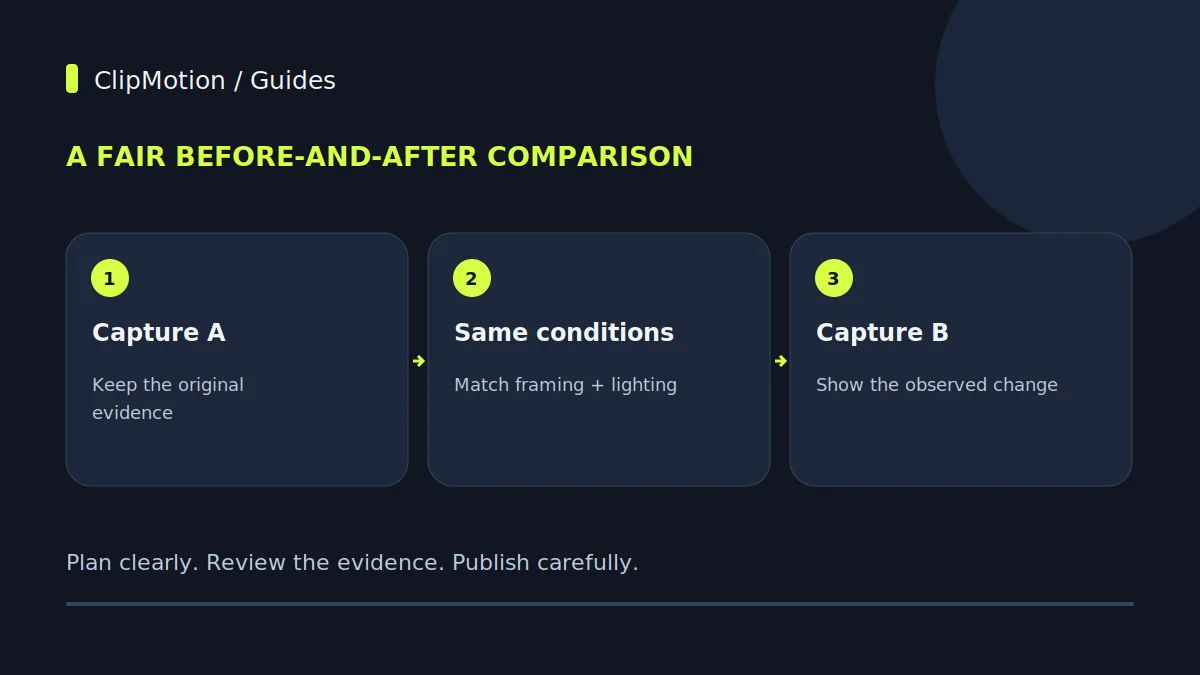
A before-and-after comparison needs genuine source material and comparable conditions. Record the same product, camera position and relevant lighting, and document any changes between shots. Generated imagery can introduce a concept but cannot prove a real improvement. Keep the evidence available for reviewers and avoid implying that an illustrative transformation is an observed result.
Creating honest before-and-after product videos requires meticulous attention to consistency, controlled environments, and clear, legitimate evidence of transformation. The core principle is to present a genuine improvement, not an invented outcome. This means ensuring that the "before" and "after" scenes are shot under identical conditions—matched camera angles, lighting, and environmental factors—and that the product's intervention is visibly demonstrated, leading to a repeatable and verifiable result. For a hypothetical desk cable organizer, this translates to showing a tangled mess, then the clear, organized process of installation, followed by a neatly managed workspace, all without deceptive framing or lighting shifts.
Defining "Honest" in Before-and-After Product Videos
Honesty in before-and-after product videos transcends mere absence of falsehood; it embraces transparency and fair representation. An honest video doesn't just show a difference; it shows a verifiable difference attributed directly and solely to the product. This means avoiding visual tricks like selective focus, extreme close-ups that hide context, or dramatic lighting changes between shots that artificially enhance the "after" state. For our desk cable organizer, an honest approach involves depicting a realistic, albeit messy, "before" scenario, rather than an absurdly chaotic one that unfairly exaggerates the problem. The "after" must then reflect a practical, achievable level of organization that a typical user can replicate. The goal is to build trust, not to impress with an unachievable ideal. Every element, from the background environment to the placement of peripheral objects, should contribute to a narrative of authentic improvement, ensuring the audience perceives the change as legitimate evidence rather than a staged illusion.
Establishing Repeatable Initial Conditions
The foundation of an honest before-and-after video lies in the ability to create identical starting points for both segments. This requires rigorous planning and documentation. Begin by selecting a representative "before" state that accurately reflects a common problem your product solves. For our desk cable organizer, this means finding or creating a desktop setup with a realistic level of cable clutter—not an extreme, improbable tangle, nor an overly neat one. Photograph or sketch the "before" scene from multiple angles, noting the exact position of every item: monitor, keyboard, mouse, coffee cup, and especially the cables themselves. Measure distances, mark positions on the floor or desk with removable tape, and record camera height and angle. Use a tripod and clearly define the camera's exact spot for both shots. Even seemingly minor details, like the screen background on a monitor or the state of a desk drawer, should be consistent. The objective is that if you were to remove the product, you could perfectly reconstruct the "before" scene, ensuring that any subsequent visual change is solely attributable to your product’s application.
Mastering Matched Camera and Lighting
Achieving visual consistency between your "before" and "after" shots is paramount, and it hinges on meticulously matching camera and lighting conditions. Use a tripod to lock the camera into an identical position, ensuring the same height, angle, and distance from the subject for both scenes. For our desk cable organizer, this means framing the messy desk from the same perspective as the organized one. Standardize camera settings: fixed focal length (avoiding zoom between shots), consistent white balance, aperture, ISO, and shutter speed. Manual settings are crucial here; auto modes can introduce unwanted variations.
Lighting is equally critical. Natural light changes constantly, so artificial, controlled lighting is almost always preferable for consistency. Position your light sources identically for both shots, using stands and flags if necessary to control spill. If using a key light, fill light, and backlight setup, ensure each is in the exact same spot relative to the subject and camera.
Visible Intervention: The Transformation Process
An honest before-and-after video doesn't merely present two static images; it visually demonstrates how the "before" transforms into the "after." This visible intervention is the crucial bridge that lends credibility. Instead of simply cutting from a messy desk to a tidy one, show the actual application of your desk cable organizer. This might involve:
- Unboxing the organizer.
- Guiding cables through its channels.
- Securing it to the desk.
- Bundling excess slack.
Each step provides legitimate evidence of the product's function. The focus here is on the process, proving that the change is a direct result of using the product, not a magic trick or an entirely different setup. For complex products, you don't need to show every single second of installation, but rather key, representative steps that illustrate the method and effort involved. The audience needs to see the product actively solving the problem. ClipMotion's scene workflow can be instrumental here, allowing you to plan a sequence of visual clips that narrate this intervention clearly and concisely, ensuring each stage of the transformation is adequately represented.
Crafting Legitimate Evidence and Measurable Outcomes
Beyond simply showing the product in action, an honest before-and-after video must offer legitimate evidence and, wherever possible, measurable outcomes of the transformation. For the desk cable organizer, the primary evidence is the visual reduction of clutter and the creation of a more functional workspace. This can be quantified not with numbers, but with visual clarity.
- Visual Accessibility: Can you now easily identify and access specific cables?
- Desk Real Estate: Is more desk surface usable after organization?
- Aesthetics: Does the workspace look cleaner and more professional?
You might also show the difference in specific functionalities: perhaps before, a power strip was inaccessible, and after, it's neatly mounted and easy to reach. Focus on tangible improvements. Instead of just a wide shot, consider a matched close-up shot of a specific area—e.g., the base of the monitor—to highlight how cables that were previously a jumble are now neatly routed.
Hypothetical Staging and Ethical Disclosure
While the goal is honesty, some level of staging is inherent in video production. The key is to distinguish between staging for clarity and staging for deception. Hypothetical staging means creating a controlled "before" scenario that is representative of a common problem, even if it's not a real-world, unedited snapshot. For our desk cable organizer, you might intentionally arrange cables into a realistic, but not naturally occurring, tangle to perfectly frame the problem. Similarly, the "after" might be meticulously arranged for optimal visual appeal, representing the ideal outcome.
The ethical imperative is disclosure. If a scene is purposefully set up to illustrate a point rather than depict an organic situation, a subtle on-screen text overlay like "Hypothetical Scenario," "Illustrative Setup," or "Results May Vary" can maintain transparency. This manages audience expectations and preserves credibility. The purpose of staging should always be to enhance understanding of the product's benefits, not to exaggerate them or create an illusion of ease or outcome that isn't genuinely achievable. Your staging should highlight a legitimate transformation, not invent one.
Common Mistakes and Their Fixes
Several common pitfalls can undermine the honesty and effectiveness of before-and-after videos. Recognizing and addressing them is crucial.
- Inconsistent Camera Angles/Positions: A subtle shift in angle can make a messy desk look worse or a tidy one look more spacious. Fix: Use a marked tripod, tape guides on the floor/desk, and take reference photos of camera setup.
- Mismatched Lighting: Different lighting can drastically alter perception, making an "after" scene appear brighter or more appealing. Fix: Use artificial, controlled lighting setups and consistently position lights. Avoid natural light where possible.
- Exaggerated "Before" or Unrealistic "After": Presenting an implausibly chaotic "before" or an "after" that requires professional installation or additional unadvertised products. Fix: Portray realistic scenarios. The "before" should be a common problem, the "after" an achievable solution for the average user.
- Invisible Intervention: Cutting directly from "before" to "after" without showing the product's application. Fix: Always include clips demonstrating the product being used to create the transformation. 5.
By systematically addressing these issues, you ensure your video genuinely reflects your product's capabilities.
Leveraging ClipMotion for Consistency and Efficiency
For brands aiming for high-quality, consistent visual content, tools like ClipMotion can significantly streamline the creation of before-and-after videos, particularly when you need to generate multiple variations or illustrate conceptual changes. ClipMotion is an AI video studio for brands that allows users to select a template and provide product references and exact messages.
When planning your before-and-after sequence, ClipMotion's scene workflow is invaluable. You can meticulously plan each visual clip, ensuring it adheres to your pre-defined camera angles, lighting conditions, and specific product interactions. For instance, you could design one scene for the "before" state of a messy desk, supplying references of tangled cables. Then, you'd design subsequent scenes showing the hypothetical desk cable organizer being applied, providing precise product references and descriptions of the action. LTX 2.5 creates these visual scenes, aiming for consistency based on your input.
After the visual clips are generated, Remotion allows you to add exact text overlays, your logo, and calls to action, ensuring your brand message is clearly communicated.
Acceptance Criteria for Your Honest Video
Before releasing your before-and-after video, rigorously evaluate it against a clear set of acceptance criteria. This ensures both effectiveness and ethical compliance.
- Visual Consistency: Are camera angle, distance, focal length, and height identical between "before" and "after" shots? Is the lighting perfectly matched, without any noticeable changes in intensity, direction, or color temperature?
- Environmental Integrity: Is the background consistent? Are all non-product-related items (e.g., monitor, keyboard, decor) in the same position in both scenes?
- Visible Intervention: Does the video clearly show the product being used to effect the change, not just a cut between two states? Are the steps of interaction evident?
- Legitimate Outcome: Does the "after" state genuinely represent a practical and achievable improvement that is directly attributable to the product, without exaggeration?
Only once all these criteria are met should the video be considered ready for publication.
Worked Hypothetical Example 1: Basic Desk Cable Organizer
Let's apply these principles to a simple, stick-on desk cable organizer designed to manage a few power cords and peripheral cables.
The "Before" Setup: We establish a hypothetical scenario: a small home office desk with a laptop, an external monitor, a mouse, and a keyboard. Three power cables (monitor, laptop charger, power strip) and two peripheral cables (mouse, keyboard) are lying haphazardly across the desk and dangling behind. We meticulously photograph this "before" state. We mark the camera position on the floor, noting height and angle. We place two continuous LED panel lights, one main and one fill, at specific marked positions. The monitor background is a default desktop pattern.
The Intervention: The video shows the user taking the stick-on cable organizer. They peel the adhesive backing. The camera, still fixed, captures the user carefully gathering the five cables and inserting them into the organizer's channels. Then, the organizer is pressed firmly to the underside edge of the desk, routing the cables discreetly. The user then tidies any remaining slack with a provided hook-and-loop strap, visible in the product's features.
Worked Hypothetical Example 2: Advanced Desk Cable Management System
Now consider a more complex hypothetical: a comprehensive under-desk cable management system involving a long trough, cable ties, and adhesive clips for multiple power bricks and networking cables.
The "Before" Setup: This desk is larger, with multiple monitors, a desktop PC tower, a docking station, a printer, and a multitude of power, HDMI, USB, and Ethernet cables forming a dense "cable spaghetti" under and behind the desk. Power bricks are strewn on the floor. This represents a significant challenge. Again, precise documentation of camera position, lighting setup (perhaps three lights for better coverage of the larger area), and the exact placement of all equipment and cables is critical. The "before" shot visually conveys the overwhelming disarray and potential tripping hazards.
The Intervention: The video meticulously, but concisely, demonstrates the installation.
The "After" Shot: From the identical camera angle and under the same lighting, the area under the desk is transformed. The trough contains all power bricks and excess cable length. Visible cables are neatly bundled and routed, making the area accessible for cleaning and presenting a professional, hazard-free environment.
Final Checklist
- Camera & Lighting Match: Is every "before" and "after" shot perfectly consistent in camera angle, distance, height, and lighting?
- Environment Control: Are all background elements and non-product items identical and static?
- Visible Product Use: Does the video clearly show the product being applied and how it creates the transformation?
- Legitimate Outcome: Does the "after" demonstrate a realistic, verifiable improvement directly from the product?
- No Visual Tricks: Have all misleading crops, zooms, or artificial enhancements been avoided?
- Ethical Disclosure: Is hypothetical staging or illustrative setup clearly indicated if used?
- ClipMotion Review: Are all generated visual clips reviewed for fidelity and consistency?
- Final Message: Is the text, logo, and CTA (via Remotion) clear and honest?
Frequently Asked Questions
How do I handle minor imperfections in the "before" state without exaggerating?
The key is authenticity, not perfection. If the "before" state naturally includes a minor imperfection unrelated to the product's function—for instance, a scuff on the desk that your cable organizer won't fix—do not remove it or highlight it in the "before" only to make the "after" seem deceptively better. Let it remain visible but un-emphasized in both shots. The goal is to show the product's specific impact, not to create a completely flawless scene.
Is it ever acceptable to use stock footage for a "before" scenario?
Generally, no. Using stock footage for a "before" scenario is highly discouraged because it inherently breaks the principle of matched conditions. Stock footage will have different lighting, camera angles, environments, and object placements, making it impossible to create an honest "after" comparison. It also introduces an artificiality that can erode trust. Authentic footage or carefully constructed hypothetical staging (with disclosure) of your actual product environment is always preferable to ensure consistency and maintain credibility.
What if my product's effect isn't immediately visible or takes time?
For products with delayed or non-immediately visual effects, a traditional "before-and-after" video showing instantaneous transformation is inappropriate.
How much intervention should I show in the video?
You should show enough intervention to clearly demonstrate how the product is used and how it achieves the transformation, but not so much that it becomes tedious or overly long. Focus on key, representative steps. For a desk cable organizer, this means showing the attachment, the threading of cables, and the final tidying. You don't need to show every single second of cable threading if it's repetitive.
ClipMotion empowers brands to bring their product stories to life with compelling visuals. Its structured approach helps in building credible before-and-after narratives. Your visual fidelity hinges on the quality of your references and the thoroughness of your review.
Ready to transform your product messaging? Start your ClipMotion project today and craft your next honest before-and-after video.