GEO for Video Content: Make Product Guides Clear for AI Search
Pair video with useful text, precise answers and verifiable product information for discovery.
By the ClipMotion team · · 2,497 words · 12 min read
A ClipMotion brand guide written with AI assistance. Worked examples are hypothetical and do not represent measured customer results.
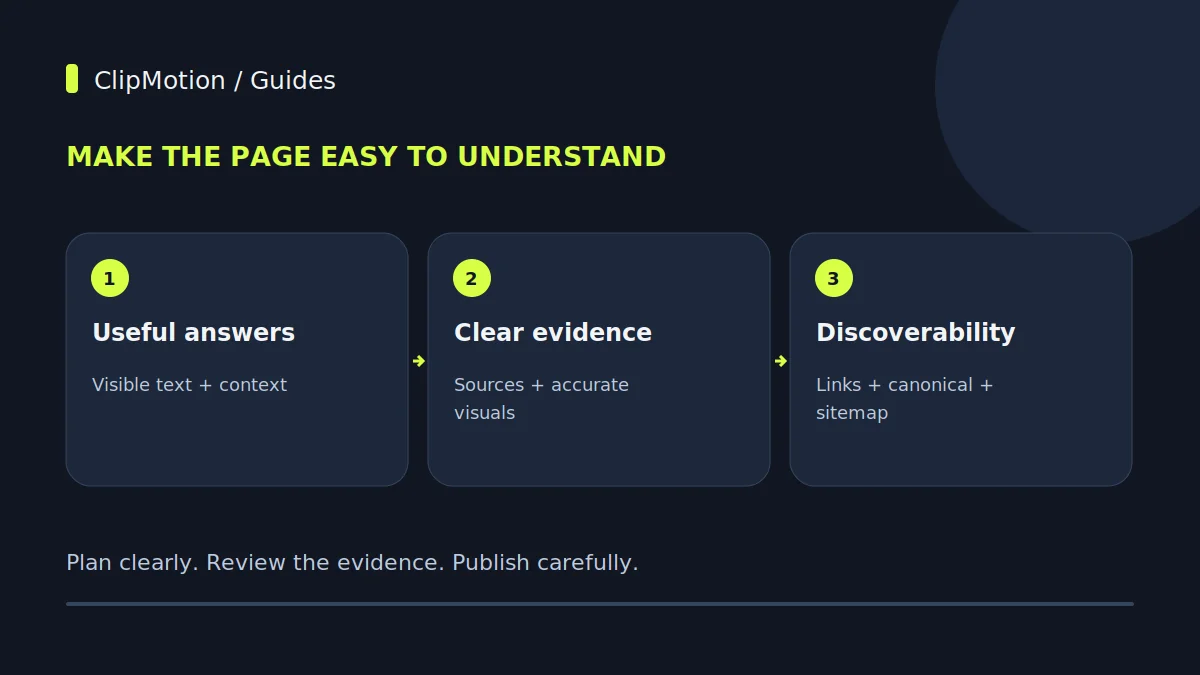
Effective GEO for video content, particularly product guides, hinges not on special AI markup but on foundational clarity and discoverability principles applied to the hosting web page, not just the media file itself. Clear, accessible text helps readers and gives search systems information they can process; ranking and citation mechanisms vary across services. This means providing visible summaries, comprehensive transcripts for spoken video, clear evidence within the content, coherent article schema, robust canonicalization, and strategic internal linking. While no guarantee of indexing or citation exists for any content, focusing on the quality and accessibility of the surrounding page information makes your AI product video workflow guide easier to inspect and understand, without establishing a measurable increase in AI citations.
Evidence on the hosting page should distinguish genuine observations from illustrative production. Link factual specifications to their source and use authentic footage when showing an operation or result. A generated demonstration is not evidence of product performance, and private studio references do not become crawlable merely because they were used to create a clip.
The Core Principle: Discoverability Beyond the Pixel
The digital landscape is increasingly dominated by AI systems attempting to understand and synthesize information. For video content, especially practical product guides, discoverability for these AI entities often begins where traditional search engine optimization (SEO) has always focused: the text-based context surrounding the media. An AI bot, unlike a human, doesn't immediately "watch" and comprehend a video in real-time. Instead, it processes the accompanying metadata, transcripts, descriptions, and the overall semantic structure of the page hosting the video. The video file itself, in many cases, remains a black box until explicit textual cues provide context. This means the clarity of your textual content directly correlates with how well your AI product video workflow guide, or any video, can be categorized, understood, and ultimately retrieved by AI-driven search experiences.
This principle emphasizes that a truly "GEO-optimized" video isn't just about the visual and auditory elements within the file.
The Indispensable Role of the Hosting Page
For any video, particularly an AI product video workflow guide, the web page it resides on is its primary interface with search engines and AI models. A video file uploaded directly to a platform without a corresponding, richly detailed page limits its discoverability. The hosting page is where you provide the essential context that search algorithms use for indexing and ranking. This includes a descriptive title tag that accurately reflects the video's content, a compelling meta description that entices clicks, and, crucially, a visible, human-readable summary of the video's key points.
Beyond basic metadata, the on-page text should elaborate on the video's content. If your video demonstrates steps for using a hypothetical "Quantum Blender 5000," the page should explicitly list those steps, detail the product's features, and explain the benefits.
Crafting Effective Transcripts and Visible Summaries
For any AI product video workflow guide that includes spoken commentary or dialogue, a comprehensive transcript is paramount for GEO. While a video provides visual instruction, the spoken word embedded within it is often inaccessible to search bots and AI models without explicit text. A full, accurate transcript makes every word spoken in your video searchable and indexable. This is not about generating subtitles for accessibility (though that's a valuable side benefit), but about providing a plain-text version of your audio content directly on the hosting page.
Visible summaries go a step further. These are concise, human-authored paragraphs that distill the core message and key takeaways of the video. Unlike a transcript, which is a verbatim record, a summary acts as an executive brief, highlighting the most critical information an AI might need to understand the video's purpose.
Structured Data and Article Schema for Clarity
Structured data, particularly schema markup, provides a standardized way to describe your video content to search engines and AI models, making it easier for them to understand its type, context, and purpose. While Google emphasizes that ordinary SEO fundamentals apply to AI Overviews/AI Mode and no special "AI schema" or text file is required, implementing general schema is still a critical best practice. For an AI product video workflow guide, relevant schema types include VideoObject, Product, and potentially HowTo.
Using VideoObject markup allows you to specify the video's title, description, thumbnail URL, upload date, and duration. This explicit data helps AI consolidate information about the media. If your video is a product guide, combining VideoObject with Product schema allows you to link the video directly to the product it describes, including details like product name, brand, description, and offer information.
Content Creation Workflow with ClipMotion for GEO
The initial stages of creating your AI product video workflow guide with ClipMotion directly influence its GEO potential. ClipMotion is an AI video studio for brands where users choose a template, supply product references, and write their exact message. This focus on precise messaging and product references is a foundational step for GEO. When users craft their message, they are essentially writing the script that ClipMotion's Remotion component will integrate as text, logo, and CTA in the final composition. This written content, even if primarily for visual overlay, provides an opportunity to embed keywords and descriptive phrases naturally.
Before visual clips are generated, the scene workflow plans each segment. This planning phase is crucial.
Product: Hypothetical "Smart Home Hub v3" – a compact device designed to unify smart home devices under a single control interface.
GEO Implications: The precise messaging and structured scene planning within ClipMotion provide a strong textual foundation.
Visual Fidelity Review and Iteration
After generating visual clips using ClipMotion's LTX 2.5, a critical step often overlooked in GEO is the thorough review of visual fidelity. ClipMotion explicitly states that visual fidelity must be reviewed and is never guaranteed. This isn't just about aesthetic appeal; it's about clarity and comprehensibility. If a product guide video, even one with perfect textual GEO, presents visual information that is blurry, misleading, or fails to accurately depict the product or workflow, its effectiveness for both human users and advanced AI vision models (where applicable) diminishes significantly.
For instance, if your ClipMotion video demonstrates a specific feature of a hypothetical "Ergonomic Office Chair," but the generated visual clip for adjusting the lumbar support is indistinct, or shows a different model of chair, the user experience suffers. An AI trying to extract visual details might also be confused.
Integrating Product Links and References
A crucial aspect of GEO for product video guides, particularly those created with tools like ClipMotion, is the intelligent integration of product links and references. ClipMotion allows users to supply product references and supports product link analysis and image uploads. This functionality is not merely for visual accuracy; the references inform production; a public link on the hosting page separately connects readers to the source product page. Private references supplied inside the studio are not automatically public or indexable. When your ClipMotion video demonstrates the features of a hypothetical "Advanced Water Filtration System," linking directly to the product's sales page from the video's description and within the hosting page's content is vital.
However, it's important to note that some stores block import and require direct uploads of product images. This necessitates a proactive approach to asset management.
Canonicalization and Internal Linking Strategy
For an AI product video workflow guide to achieve optimal GEO, its placement within your website's architecture, and how it connects to other content, is crucial. Canonicalization ensures that search engines and AI understand the definitive source of a piece of content. If your video guide about a hypothetical "Portable Solar Charger" appears on multiple pages or is referenced elsewhere, a canonical tag on the primary hosting page tells search engines which version is the authoritative one to index. This prevents dilution of SEO value and ensures that all signals point to a single, preferred URL.
Alongside canonicalization, a robust internal linking strategy is indispensable. When other relevant articles, blog posts, or product pages on your site link to your AI product video workflow guide, it signals its importance and relevance to search algorithms.
The Role of Evidence and Demonstrations
For product guides, the ability to show, not just tell, is paramount. This is where video content excels, and for an AI product video workflow guide, clear visual evidence reinforces the textual claims. An AI, processing a product guide for a hypothetical "Smart Gardening System," benefits immensely from a video that visually demonstrates each step of installation and operation. While ClipMotion excels at generating clear visual clips based on explicit messages, there are instances where authentic photographs, screen recordings, or actual footage are preferable.
Consider a scenario where precise visual cues, like the subtle glow of an indicator light or the exact physical motion required to assemble a component, are critical for user success. While ClipMotion's LTX 2.5 creates visual scenes, the nuance of real-world interaction might be best captured by direct recording.
Post-Production Considerations Beyond ClipMotion
While ClipMotion provides a powerful studio for creating the core video content, several post-production considerations, external to its specific features, are vital for optimizing your AI product video workflow guide for GEO. These include technical aspects that impact video hosting, delivery, and overall user experience, which indirectly influence discoverability.
First, file naming conventions are essential. Use descriptive, keyword-rich file names (e.g., quantum-blender-5000-setup-guide.mp4) rather than generic ones (e.g., video1.mp4). This provides an initial semantic cue to crawlers. Second, thumbnail creation is critical. A compelling, relevant thumbnail acts as the video's visual headline, improving click-through rates. Ensure it accurately represents the video's content. Third, consider video file size and compression. Large files can slow down page load times, negatively impacting user experience and potentially SEO. Optimize video resolution and bitrate for web delivery without sacrificing visual clarity.
Common Mistakes and Their Fixes for Video GEO
Optimizing AI product video workflow guides for GEO requires careful attention to common pitfalls. Avoiding these mistakes can significantly enhance your content's discoverability.
Mistake 1: Relying solely on the video file itself for GEO.
- Problem: Uploading a ClipMotion video (or any video) without a rich, descriptive hosting page means search engines have minimal textual context to understand and index the content. The video file name and basic platform description are often insufficient.
- Fix: Always embed your video on a dedicated, comprehensive web page. This page should feature a unique title tag, meta description, a visible summary of the video, and a detailed article that elaborates on the video's content. For example, if your ClipMotion video demonstrates a "Hypothetical Smart Garden System" setup, the page should include a written step-by-step guide, product specifications, and benefits, all aligning with the video.
Mistake 2: Neglecting transcripts or visible summaries for spoken content.
- Problem: If your AI product video workflow guide features narration or dialogue, but lacks an accessible transcript or summary on the page, the spoken content is effectively "hidden" from AI search.
Acceptance Criteria for GEO-Optimized Video Pages
To ensure your AI product video workflow guide is effectively optimized for GEO, consider these acceptance criteria before publication:
- Dedicated, Rich Page: The video is hosted on its own unique URL, featuring a robust, text-rich page (not just an embed).
- Descriptive Metadata: The page title tag and meta description accurately and compellingly reflect the video's content and include relevant keywords.
- Visible Summary: A human-readable, concise summary of the video's main points is prominently displayed on the page.
- Full Transcript (if applicable): If the video has spoken content, a complete, accurate transcript is provided on the page, ideally in an expandable section.
- Structured Data: Appropriate schema markup (
VideoObject,Product,HowTo) is implemented on the page, providing machine-readable context. - Internal & External Links: The page includes relevant internal links to other content on your site and accurate external links to products or resources mentioned in the video.
- Visual-Text Alignment: The visual content of the ClipMotion video accurately reflects and reinforces the textual information on the page.
Concise Final Checklist for GEO-Optimized Video Content
- Dedicated Page: Is your video embedded on a unique, content-rich web page?
- Keywords: Does the page title, meta description, and body text include relevant keywords for your AI product video workflow guide?
- Summary: Is there a clear, visible summary of the video's content?
- Transcript: If applicable, is a full transcript provided on the page?
- Schema: Have you applied
VideoObject,Product, orHowToschema markup? - Links: Are all product links and internal links accurate and functional?
- Visual Check: Was the ClipMotion video's visual fidelity reviewed for accuracy and clarity, especially concerning product references?
- Canonical: Is a canonical tag correctly implemented on the page?
- Speed: Is the page optimized for fast loading times?
- CTA Alignment: Do video overlays (from Remotion) and on-page CTAs guide users effectively?
Frequently Asked Questions
Is there a special "AI schema" or file format required for video content to be discovered by AI search?
No, according to Google Search Central, ordinary SEO fundamentals apply to how AI Overviews and AI Mode integrate information. There is no special "AI schema" or unique file format required for video content to be discovered by AI search. The focus should remain on providing clear, structured, and comprehensive information on the web page hosting your video, utilizing existing structured data formats like VideoObject, Product, or HowTo schema, along with rich textual descriptions and transcripts.
Does using AI-generated video, like those created with ClipMotion, negatively impact my GEO efforts?
Using AI-generated video does not inherently harm your GEO efforts. The critical factor for discoverability by AI search is the quality and context of the information provided on the hosting page, not the generation method of the video itself. If your ClipMotion video is visually clear, accurately conveys its message, and is supported by a well-optimized hosting page with descriptive text, transcripts, and structured data, it can perform as well as, or even better than, traditionally produced video.
How important are transcripts for AI search, especially for product guide videos with narration?
Transcripts are extremely important for AI search, particularly for product guide videos with narration or spoken instructions. AI models primarily process text. Without a transcript, the valuable spoken content within your video remains largely inaccessible to these systems for indexing, understanding, and summarizing. Providing a full, accurate transcript on the video's hosting page transforms spoken words into indexable text, significantly enhancing the video's discoverability and allowing AI to extract key steps, product features, and benefits directly from the narrative.
What if my e-commerce platform limits page customization, making it difficult to implement extensive GEO for my video guides?
Even with platform limitations, you can still significantly improve GEO for your AI product video workflow guides. Focus on what you can control. Ensure your video's title and description fields are fully utilized with relevant keywords and clear summaries. If direct transcript embedding isn't possible, consider linking to a separate page or document containing the full transcript. Maximize the use of any custom text fields available on product pages to add a written overview or key takeaways from the video.
Start your project today with ClipMotion to create product videos that clarify and convert.